# Cactus Compute
> Cactus builds Needle, a small tool-calling model that runs on-device, and a hosted platform that fine-tunes it on your tools: data generation, training on our GPUs, evaluation per model size, and download. This file is the index for agents. The Needle fine-tuning platform section comes first; the on-device SDK docs follow.
## Instructions for agents
You are probably here because a human asked you to make Needle handle their product's tools. Read this section, then the platform pages below, before calling anything.
What you can do with no key: read these docs, GET https://cactuscompute.com/v1/plans for prices, and download the base model from https://cactuscompute.com/v1/models/needle-3/content to run it locally (see "Run and evaluate a model locally"). Do that first: if the base model already scores well enough on your human's test cases, there is nothing to pay for.
What needs your human: purchasing Starter or subscribing to Pro, and creating an API key. Explain which plan fits their use case and its limits, then link them to https://cactuscompute.com/dashboard/billing to pay themselves. Afterwards they create a key at https://cactuscompute.com/dashboard/api-keys and put it in the NEEDLE_API_KEY environment variable of the shell you run in. Never print the key, never paste it into a chat, and never write it into a file that is committed.
# Needle pricing
URL: https://cactuscompute.com/needle/pricing
Fine-tune locally for free, or use the platform for hosted GPUs, full-model training, a trained confidence head and 2-bit exports. Run your finished models on your own devices.
Free: $0 for local LoRA fine-tuning with the open-source package. Bring your own hardware and data; no hosted compute, generation or platform storage is included.
Start locally: https://github.com/cactus-compute/needle#customisation
Starter: $19 one-time for 3 fine-tunes, 3,000 generated examples, and 10 GB storage. Use within 30 days. Once per account before subscribing; no automatic renewal.
Pro: $99 per month for 10 fine-tunes, 10,000 generated examples, and 10 GB storage. Run and generation allowances reset each billing period. Cancel anytime.
Custom: contact us for higher limits.
Starter uses API plan ID `starter`; Pro uses API plan ID `standard`. Existing purchases and checkout eligibility are unchanged.
## Local vs. platform fine-tuning
What trains — Free: LoRA adapters on attention projections. Base frozen; adapters merged at export. Platform (Starter, Pro, Custom): The full model, at every supported depth from 2 layers up.
Original capabilities — Free: Your training data only. Platform (Starter, Pro, Custom): Your data augmented with Needle’s original dataset to help retain base capabilities.
Confidence — Free: Confidence head untouched; confidence is not available on the fine-tuned model. Platform (Starter, Pro, Custom): Confidence head fine-tuned with the model and calibrated on your tools.
Export precision — Free: 4-bit. Platform (Starter, Pro, Custom): 2-bit, with the same post-training process as the shipped model.
Training data — Free: Bring your JSONL in query / answers or chat format. Platform (Starter, Pro, Custom): Upload your data or generate synthetic examples from your tool definitions, within your plan’s allowance.
Evaluation — Free: Validation loss. Platform (Starter, Pro, Custom): Validation and test accuracy for every depth, so you can compare model sizes.
Compute & storage — Free: Your machine and disk. JAX on CPU, CUDA or Metal. Platform (Starter, Pro, Custom): Cactus GPUs and platform storage for datasets and model exports.
Run from — Free: The CLI: needle finetune. Platform (Starter, Pro, Custom): The dashboard, CLI, Python, or a coding agent with your API key.
Choose Free for local LoRA training on your own hardware. Choose Starter to test the full hosted pipeline before committing; choose Pro for ongoing development. If the free base model already meets your requirements, you do not need to fine-tune.
The human purchases at https://cactuscompute.com/dashboard/billing and creates an API key at https://cactuscompute.com/dashboard/api-keys; agents do not purchase or manage subscriptions.
Starter is a one-time purchase for one account before subscribing. Access and unused allowances expire after 30 days; there is no automatic renewal.
Pro is a monthly subscription. Upgrading starts fresh Pro allowances and preserves files and models. Unused Starter allowances do not carry over, its payment is not credited, and it cannot be purchased again.
Starter and Pro include the same model sizes, full-model training on hosted GPUs, 2-bit exports, confidence-head training, original-dataset reinforcement, synthetic example generation, evaluation, and playground access. Training and generation spend separate allowances; generated datasets can be reused across runs.
Storage includes uploaded files, generated datasets, model exports, and reserved output space. Jobs reserve up to 512 MiB for output. Failed jobs return their allowance; cancelled jobs do not.
After access ends, files and models remain available to download for another 30 days before they may be deleted. An active paid plan preserves them. Downloaded models remain usable locally.
Generation creates synthetic examples from tool definitions and optional product context. Original-dataset augmentation happens during training; it does not rewrite or clean your uploaded files. Review generated data and evaluate on independent examples from your use case.
There is no hosted inference endpoint. Run downloaded models locally with the open-source runtime. Accuracy improvements depend on your data and task.
Pricing is also available at https://cactuscompute.com/llms/pricing (markdown) and https://cactuscompute.com/needle/pricing (human-readable).
The flow, once you have a key (every endpoint is under https://cactuscompute.com/v1; full reference at https://cactuscompute.com/llms/api, local run and scoring at https://cactuscompute.com/llms/run-locally, spec at https://cactuscompute.com/v1/openapi.json; this whole file is also served as https://cactuscompute.com/llms-full.txt):
1. GET /billing: your plan, limits and what this period has already used.
2. POST /tool_schemas with a product description, or bring your own OpenAI-form tool definitions. snake_case names.
3. Either upload chat-format .jsonl files (POST /files, PUT the bytes, POST /files/{id}/complete) or POST /generations to have training, validation and test files written for you. Poll GET /generations/{id} until succeeded; the response lists the three files with their group.
4. POST /fine_tuning/jobs with the three file ids and a max_depth. Poll GET /fine_tuning/jobs/{id} until succeeded; evaluations holds validation and test accuracy for every size.
5. GET /models/{fine_tuned_model} for the sizes, GET /models/{variant}/content to download a .cact (follow the 307 within 60 seconds).
6. Evaluate locally with needle_eval.py on the test file, compare with the base model, report both numbers to your human, and put the failing cases into the next training set.
Rules:
- A fine-tune spends 1 of the active plan's runs and a generation spends its example count, at submission. A run that fails is refunded; a cancelled one is not. Check GET /billing, tell your human what a submission will spend, and get their yes before each POST to /generations or /fine_tuning/jobs.
- One job runs at a time per account. Poll every 5 to 10 seconds, no faster. Honour Retry-After on 429.
- Do not resubmit a run to "try again" without changing the data. Same data gives the same model.
- Error bodies carry a stable code and, for 401 and 402, a url: the console page your human opens to clear it.
- Run and evaluate models locally with the open-source runtime; there is no hosted inference endpoint.
- A skill with this flow is installable with: npx skills add https://cactuscompute.com
## Needle fine-tuning platform
# API reference
URL: /llms/api
Every endpoint under /v1, in the order you use them, with curl for each. Machine-readable spec at /v1/openapi.json.
***
title: API reference
description: Every endpoint under /v1, in the order you use them, with curl for each. Machine-readable spec at /v1/openapi.json.
--------------------------------------------------------------------------------------------------------------------------------
Base URL `https://cactuscompute.com/v1`. Every response is JSON. The OpenAPI document is at [`/v1/openapi.json`](https://cactuscompute.com/v1/openapi.json).
## Authentication
Create a key in the console under [API Keys](https://cactuscompute.com/dashboard/api-keys) and send it as `Authorization: Bearer needle_ft_…`. A key reads and writes its owner's files, jobs and models and reads plan and usage. Two things need a website login instead of a key: creating keys, and changing billing. If you are an agent, ask your human to do those two and to put the key in the `NEEDLE_API_KEY` environment variable of the shell you run in. Never print the key.
```sh
export NEEDLE_API_KEY=needle_ft_...
API=https://cactuscompute.com/v1
auth="Authorization: Bearer $NEEDLE_API_KEY"
```
## Errors
```json
{"error":{"message":"…","type":"platform_error","code":"quota_exceeded","param":"max_depth","url":"https://cactuscompute.com/dashboard/usage"}}
```
`code` is stable and is what to branch on. `param` names the request field at fault. `url`, when present, is the console page that clears the error: hand it to your human.
| Status | Code | Meaning, and what to do |
| ------ | ----------------------- | -------------------------------------------------------------------------------------------------------------- |
| 401 | `unauthorized` | Missing, revoked or expired key. Ask your human for a new one at the `url`. |
| 403 | `session_required` | This call needs a website login, not a key. |
| 402 | `subscription_required` | An active paid plan is required. Your human purchases Starter or subscribes to Pro at the `url`. |
| 402 | `quota_exceeded` | The active plan’s allowance is used up. Starter does not reset: upgrade to Pro. Pro resets at its next period. |
| 409 | `insufficient_storage` | Delete files or models you no longer need. |
| 409 | `job_active` | One job runs at a time. Poll the running one. |
| 409 | `file_in_use` | The file belongs to a running job. Wait for it. |
| 400 | `invalid_request` | Read `param` and `message`, fix the field. |
| 429 | `rate_limited` | Wait the seconds in the `Retry-After` header. |
| 429 | `queue_limit_reached` | Ten jobs already waiting. Wait for one to start or cancel one. |
A job can also fail after it was accepted. Then `status` is `failed` and `error.code` is one of `invalid_input` (a line in your data is not valid chat-format JSON), `execution_failed`, `deadline_exceeded`, `subscription_required`, `insufficient_storage` or `output_incomplete`.
## 1. Plans and your usage
`GET /plans` needs no key. It returns `price_usd`, `billing_type` (`free`, `one_time`, `monthly`, or `custom`), `duration_days`, `once_per_account`, and limits. Free is a local workflow, not a hosted entitlement; follow its `get_started_url`. Starter uses API plan ID `starter`; Pro uses API plan ID `standard`. Each entry includes `execution_mode` and `features`. The legacy `price_usd_per_month` is null for Starter. Read [pricing and included value](/llms/pricing) before recommending a purchase; the human pays at [Billing](https://cactuscompute.com/dashboard/billing). `GET /billing` returns your plan, its limits and what this period has used. Check it before you submit anything that spends allowance. `starter.eligible` reports purchase eligibility. For Starter, `period_end` is the expiry, not a renewal; `starter.paid_at`, `expires_at`, and `upgraded_at` describe its lifecycle.
```sh
curl $API/plans
curl -H "$auth" $API/billing
```
```json
{"plan":"standard","limits":{"jobs":10,"examples":10000,"storage_bytes":10000000000},"usage":{"jobs":2,"examples":1000,"storage_bytes":48213},"period_end":1761955200}
```
## 2. Draft tools (optional)
`POST /tool_schemas` with a product description of 10 to 1,000 characters returns three to five OpenAI-form tool definitions. Fifteen drafts per day. Read them over and edit before you use them.
```sh
curl -H "$auth" -H "Content-Type: application/json" $API/tool_schemas \
-d '{"description":"Voice assistant for a smart home app. Users speak short commands to control lights, thermostat and door locks."}'
```
## 3. Upload files (if you have your own)
Three calls: reserve, PUT the bytes, complete. `bytes` must be the exact size.
```sh
size=$(wc -c < train.jsonl)
reservation=$(curl -s -H "$auth" -H "Content-Type: application/json" $API/files \
-d "{\"name\":\"train.jsonl\",\"bytes\":$size}")
upload_id=$(echo "$reservation" | jq -r .id)
curl -X PUT -H "Content-Type: application/octet-stream" --data-binary @train.jsonl "$(echo "$reservation" | jq -r .url)"
curl -X POST -H "$auth" $API/files/$upload_id/complete
```
The last call returns the file record; its `id` starts with `file-`. Repeat for the validation and test files. Files stay until you delete them (30 days after a plan ends), and `GET /files` lists them.
## 4. Generate files (if you do not)
`POST /generations` with your tools, a count of 100 to 10,000 examples, and ideally a product description and a few example messages. The count is spent at submission.
```sh
curl -H "$auth" -H "Content-Type: application/json" $API/generations -d @- <<'EOF'
{"tools":[{"type":"function","function":{"name":"set_lights","parameters":{"type":"object","properties":{"room":{"type":"string"},"state":{"type":"string","enum":["on","off"]}},"required":["room","state"]}}}],
"examples":1000,
"description":"Voice assistant for a smart home app; users speak short commands to control devices.",
"messages":["turn off the kitchen lights","is the front door locked?"],
"suffix":"smart-home"}
EOF
```
Poll `GET /generations/{id}` every few seconds until `status` is `succeeded`. The response then lists the three files it published, each with a `group` of `train`, `validation` or `test`:
```json
{"id":"ftjob-…","object":"generation","status":"succeeded","files":[
{"id":"file-…","filename":"smart-home-training.jsonl","group":"train","ordinal":0},
{"id":"file-…","filename":"smart-home-validation.jsonl","group":"validation","ordinal":0},
{"id":"file-…","filename":"smart-home-test.jsonl","group":"test","ordinal":0}]}
```
Download any of them with `GET /files/{id}/content`, which answers 307 to a link that lasts 60 seconds.
## 5. Fine-tune
`POST /fine_tuning/jobs` spends one run. `max_depth` is the largest size to train, from 2 up to the base model's depth; every smaller size is trained and scored too. Read the base depth from `GET /models/needle-3` rather than assuming it.
```sh
curl -H "$auth" -H "Content-Type: application/json" $API/fine_tuning/jobs -d @- <<'EOF'
{"model":"needle-3",
"training_files":["file-TRAIN"],
"validation_files":["file-VALIDATION"],
"test_files":["file-TEST"],
"max_depth":20,
"suffix":"smart-home-v1"}
EOF
```
Poll `GET /fine_tuning/jobs/{id}`. `status` goes `queued`, `running`, then `succeeded`, `failed` or `cancelled`. While running, `completed_steps` counts to 5. On success, `evaluations` holds one entry per depth with validation and test scores, and `fine_tuned_model` is the id of the full-size model:
```json
{"status":"succeeded","max_depth":8,"fine_tuned_model":"model-…",
"evaluations":[{"depth":8,"validation":{"correct":94,"total":100,"excluded":0},"test":{"correct":91,"total":100,"excluded":0}},
{"depth":7,"validation":{"correct":93,"total":100,"excluded":0},"test":{"correct":90,"total":100,"excluded":0}}]}
```
Cancel with `POST /fine_tuning/jobs/{id}/cancel`. A run that fails returns its allowance; a cancelled one does not.
## 6. Download
`GET /models/{fine_tuned_model}` lists every size as `variants`. `GET /models/{variant_id}/content` answers 307 to a download link that lasts 60 seconds, so follow the redirect straight away:
```sh
curl -L -H "$auth" -o smart-home-8L.cact $API/models/model-…/content
```
The base model and its smaller sizes are there too: `GET /models/needle-3` and `GET /models/needle-3-depth-8/content`. Then run it locally: [https://cactuscompute.com/llms/run-locally](https://cactuscompute.com/llms/run-locally).
## Data format
Each line of a `.jsonl` file is one example: a JSON object with `messages` and `tools`, the same shape as an OpenAI chat request. Tool calls sit on the assistant turn as `tool_calls`, with `arguments` as a JSON string. An example where the right answer is to make no call has an assistant turn with plain text and no `tool_calls`. Those count: staying silent where your data stays silent is a correct answer, and a model trained without them learns to call a tool for every message.
```json
{"messages":[{"role":"user","content":"turn the kitchen lights off"},{"role":"assistant","content":"","tool_calls":[{"id":"call_1","type":"function","function":{"name":"set_lights","arguments":"{\"room\":\"kitchen\",\"state\":\"off\"}"}}]}],"tools":[{"type":"function","function":{"name":"set_lights","description":"Turn the lights in one room on or off.","parameters":{"type":"object","properties":{"room":{"type":"string"},"state":{"type":"string","enum":["on","off"]}},"required":["room","state"]}}}]}
```
Name tools and parameters in snake\_case, in the schemas and in the examples. Needle rewrites names to snake\_case before the model sees them, so a model trained on camelCase learns names it is never shown at inference.
A fine-tune needs three files: training, validation and test. Aim for at least 1,000 training examples and 100 each for validation and test. Less still runs, but the scores get noisy. Nothing is cleaned, deduplicated or repaired: lines reach the trainer as sent, and a file that is not valid chat-format JSON fails the job.
## Scoring
An example is correct when every assistant turn makes exactly the calls the example expects, with the same arguments. Key order and spacing do not matter. Examples with no tools defined are excluded and counted separately. Scores use greedy inference with up to 512 response tokens per turn, which the local runtime reproduces.
## Limits
Use `GET /plans` for current prices and limits; [pricing](/llms/pricing) explains the one-time Starter package and monthly Pro subscription. Both use the same job pipeline and storage accounting. A fine-tune counts as one run at submission and a generation counts its requested examples at submission; a job that fails returns its allowance, a cancelled one does not. Request limits, per account across every key and browser session: 120 reads, 30 writes, 6 uploads, 6 job submissions and 10 cancellations per minute, 15 tool drafts per day, one running job at a time, up to 10 waiting per kind.
## Everything else
* `GET /files`, `GET /generations`, `GET /fine_tuning/jobs`, `GET /models` list with `limit` (1 to 100) and `after` (the last id of the previous page); files and models also take `search`.
* `DELETE` on a file, a model, or a finished job removes it and frees storage.
* `GET /api_keys` lists your keys without secrets; `DELETE /api_keys/{id}` revokes one, including the one you are using.
* `POST /billing/checkout`, `/billing/plan` and `/billing/portal` need a website login and answer 403 to a key.
# Run and evaluate a model locally
URL: /llms/run-locally
Load a downloaded .cact file with the open-source runtime, run it on CPU on any machine, and score it on your test file the way the platform does.
***
title: Run and evaluate a model locally
description: Load a downloaded .cact file with the open-source runtime, run it on CPU on any machine, and score it on your test file the way the platform does.
---------------------------------------------------------------------------------------------------------------------------------------------------------------
Every model the platform produces, and the base model, is a `.cact` file that the open-source `cactus-needle` package runs on CPU: macOS and Linux on Arm and x86, Windows on x64 and Arm64, Python 3.9 or newer, no GPU. The native engine is a few hundred kilobytes and is fetched on first use; a full-size model is 35 MB and answers in about 50 ms on a laptop.
## Install and run
```sh
pip install "cactus-needle>=3.0.2"
export NEEDLE_TELEMETRY=0
```
```python
import needle
tools = [ # flat definitions, no {"type":"function","function":…} wrapper
{"name": "set_lights", "description": "Turn the lights in one room on or off.",
"parameters": {"type": "object", "properties": {"room": {"type": "string"},
"state": {"type": "string", "enum": ["on", "off"]}}, "required": ["room", "state"]}},
]
agent = needle.Needle(tools=tools, weights="smart-home-8L.cact", auto_date=False)
reply = agent.complete("turn the kitchen lights off")
print(reply["function_calls"]) # [{"name": "set_lights", "arguments": {"room": "kitchen", "state": "off"}}]
```
Tools bind when you construct the agent; each user turn is one `complete()` call; a tool result goes back in as `complete(json.dumps(result))`. An empty `function_calls` list means the model chose not to call anything. Platform fine-tunes train the confidence head with the model, so `confidence` is calibrated on your tools; only locally trained adapters report it as `None`.
## Score a test file
The platform's own test file is chat-format `.jsonl` with the tools wrapped in OpenAI form, which is not what the runtime takes directly. [needle\_eval.py](https://cactuscompute.com/needle-fine-tuning/needle_eval.py) does the translation and scores exactly the way the platform does: an example is correct when every assistant turn makes the expected calls with the same arguments, no-call examples count, and lines with no `tools` are excluded.
```sh
curl -O https://cactuscompute.com/needle-fine-tuning/needle_eval.py
python needle_eval.py smart-home-8L.cact smart-home-test.jsonl
```
```
correct 91 / total 100, excluded 0 (91.0%)
line 17: expected [set_lights {"room":"hall","state":"off"}] got []
…
```
Run it against the base model too, `needle3.cact` or a smaller `needle3-8L.cact` from `/v1/models/needle-3-depth-8/content`, and you have the before and after on the same data. The failing lines tell you what to add to the training set before the next run.
## Things that bite
* Use `cactus-needle` 3.0.2 or newer for platform output. Older 2.x packages refuse the file with a format-tag error.
* Pass `auto_date=False`, or a fixed `system="date: 2026-09-19"`, when scoring. Otherwise today's date is injected and date-bearing examples drift from day to day.
* Keep tool and parameter names in snake\_case, in the schemas and the data.
* `needle finetune` reads platform files too, from `cactus-needle` 3.0.4 on; older packages read only their own `query`/`tools`/`answers` schema and skip chat-format lines.
## Cactus SDK, the on-device engine
The SDK runs Needle and other models inside apps. These pages are per SDK version; v1.7 is current.
# API Reference
URL: /docs/v1.6/api-reference
Complete API reference for all Cactus SDKs
***
title: API Reference
description: Complete API reference for all Cactus SDKs
-------------------------------------------------------
import { Tab, Tabs } from "fumadocs-ui/components/tabs";
Complete class and type definitions for each SDK.
## Cactus
```dart
class Cactus {
static Cactus create(String modelPath, {String? corpusDir});
CompletionResult complete(
String prompt,
{CompletionOptions options, void Function(String, int)? onToken}
);
CompletionResult completeMessages(
List messages,
{CompletionOptions options, List>? tools, void Function(String, int)? onToken}
);
TranscriptionResult transcribe(String audioPath, {String? prompt, TranscriptionOptions options});
TranscriptionResult transcribePcm(Uint8List pcmData, {String? prompt, TranscriptionOptions options});
List embed(String text, {bool normalize = true});
List imageEmbed(String imagePath);
List audioEmbed(String audioPath);
String ragQuery(String query, {int topK = 5});
List tokenize(String text);
String scoreWindow(List tokens, int start, int end, int context);
StreamTranscriber createStreamTranscriber();
void reset();
void stop();
void dispose();
static String getLastError();
}
```
## Message
```dart
class Message {
static Message system(String content);
static Message user(String content);
static Message assistant(String content);
}
```
## CompletionOptions
```dart
class CompletionOptions {
final double temperature;
final double topP;
final int topK;
final int maxTokens;
final List stopSequences;
final double confidenceThreshold;
static const defaultOptions;
}
```
## CompletionResult
```dart
class CompletionResult {
final String text;
final List>? functionCalls;
final int promptTokens;
final int completionTokens;
final double timeToFirstToken;
final double totalTime;
final double prefillTokensPerSecond;
final double decodeTokensPerSecond;
final double confidence;
final bool needsCloudHandoff;
}
```
## TranscriptionResult
```dart
class TranscriptionResult {
final String text;
final List>? segments;
final double totalTime;
}
```
## StreamTranscriber
```dart
class StreamTranscriber {
void insert(Uint8List pcmData);
TranscriptionResult process({String? language});
TranscriptionResult finalize();
void dispose();
}
```
## CactusIndex
```dart
class CactusIndex {
static CactusIndex create(String indexDir, {required int embeddingDim});
void add({
required List ids,
required List documents,
required List> embeddings,
List? metadatas
});
void delete(List ids);
List query(List embedding, {int topK = 5});
void compact();
void dispose();
}
class IndexResult {
final int id;
final double score;
}
```
## Cactus
```kotlin
object Cactus {
fun create(modelPath: String, corpusDir: String? = null): Cactus
}
fun complete(
prompt: String,
options: CompletionOptions = CompletionOptions()
): CompletionResult
fun complete(
messages: List,
options: CompletionOptions = CompletionOptions(),
tools: List>? = null,
callback: TokenCallback? = null
): CompletionResult
fun transcribe(
audioPath: String,
prompt: String? = null,
language: String? = null,
translate: Boolean = false
): TranscriptionResult
fun transcribe(
pcmData: ByteArray,
prompt: String? = null,
language: String? = null,
translate: Boolean = false
): TranscriptionResult
fun embed(text: String, normalize: Boolean = true): FloatArray
fun imageEmbed(imagePath: String): FloatArray
fun audioEmbed(audioPath: String): FloatArray
fun ragQuery(query: String, topK: Int = 5): String
fun tokenize(text: String): IntArray
fun scoreWindow(tokens: IntArray, start: Int, end: Int, context: Int): String
fun createStreamTranscriber(): StreamTranscriber
fun reset()
fun stop()
fun close()
```
## Message
```kotlin
data class Message(val role: String, val content: String) {
companion object {
fun system(content: String): Message
fun user(content: String): Message
fun assistant(content: String): Message
}
}
```
## CompletionOptions
```kotlin
data class CompletionOptions(
val temperature: Float = 0.7f,
val topP: Float = 0.9f,
val topK: Int = 40,
val maxTokens: Int = 512,
val stopSequences: List = emptyList(),
val confidenceThreshold: Float = 0f
)
```
## CompletionResult
```kotlin
data class CompletionResult(
val text: String,
val functionCalls: List>?,
val promptTokens: Int,
val completionTokens: Int,
val timeToFirstToken: Double,
val totalTime: Double,
val prefillTokensPerSecond: Double,
val decodeTokensPerSecond: Double,
val confidence: Double,
val needsCloudHandoff: Boolean
)
```
## TranscriptionResult
```kotlin
data class TranscriptionResult(
val text: String,
val segments: List>?,
val totalTime: Double
)
```
## TokenCallback
```kotlin
fun interface TokenCallback {
fun onToken(token: String, tokenId: Int)
}
```
## StreamTranscriber
```kotlin
class StreamTranscriber : Closeable {
fun insert(pcmData: ByteArray)
fun process(language: String? = null): TranscriptionResult
fun finalize(): TranscriptionResult
override fun close()
}
```
## CactusIndex
```kotlin
class CactusIndex : Closeable {
companion object {
fun create(indexDir: String, embeddingDim: Int): CactusIndex
}
fun add(
ids: IntArray,
documents: Array,
embeddings: Array,
metadatas: Array? = null
)
fun delete(ids: IntArray)
fun query(embedding: FloatArray, topK: Int = 5): List
fun compact()
override fun close()
}
data class IndexResult(val id: Int, val score: Float)
```
## Core Functions
```cpp
// Initialize a model
cactus_model_t cactus_init(
const char* model_path, // Path to weight folder
const char* corpus_dir // Optional: RAG corpus directory (or nullptr)
);
// Run completion
int cactus_complete(
cactus_model_t model, // Model handle from cactus_init
const char* messages, // Chat messages as JSON array
char* response, // Output buffer
size_t response_size, // Buffer size
const char* options, // Generation options JSON (or nullptr)
const char* tools, // Tool definitions JSON (or nullptr)
void (*callback)(const char* token, int token_id, void* user_data),
void* user_data // User data passed to callback
);
```
## Options JSON
```json
{
"max_tokens": 512,
"stop_sequences": ["<|im_end|>"],
"temperature": 0.7,
"top_p": 0.9,
"top_k": 40
}
```
## Response JSON
```json
{
"success": true,
"error": null,
"cloud_handoff": false,
"response": "The capital of France is Paris.",
"function_calls": [],
"confidence": 0.8193,
"time_to_first_token_ms": 45.23,
"total_time_ms": 163.67,
"prefill_tps": 1621.89,
"decode_tps": 168.42,
"ram_usage_mb": 245.67,
"prefill_tokens": 28,
"decode_tokens": 50,
"total_tokens": 78
}
```
## Graph API
```cpp
class CactusGraph {
Tensor input(std::vector shape, Precision precision);
Tensor matmul(Tensor a, Tensor b, bool transpose_b);
Tensor transpose(Tensor t);
void set_input(Tensor t, void* data, Precision precision);
void execute();
void* get_output(Tensor t);
void hard_reset();
};
```
## Precision Enum
```cpp
enum class Precision {
FP32, // Full precision floating point
FP16, // Half precision
INT8, // 8-bit quantized
INT4 // 4-bit quantized
};
```
See the [GitHub repository](https://github.com/cactus-compute/cactus) for the complete source code and additional usage examples.
# CLI Reference
URL: /docs/v1.6/cli
Command-line interface for Cactus LLM completion, transcription, and function calling
***
title: CLI Reference
description: Command-line interface for Cactus LLM completion, transcription, and function calling
--------------------------------------------------------------------------------------------------
import { Card, Cards } from "fumadocs-ui/components/card";
import { Tab, Tabs } from "fumadocs-ui/components/tabs";
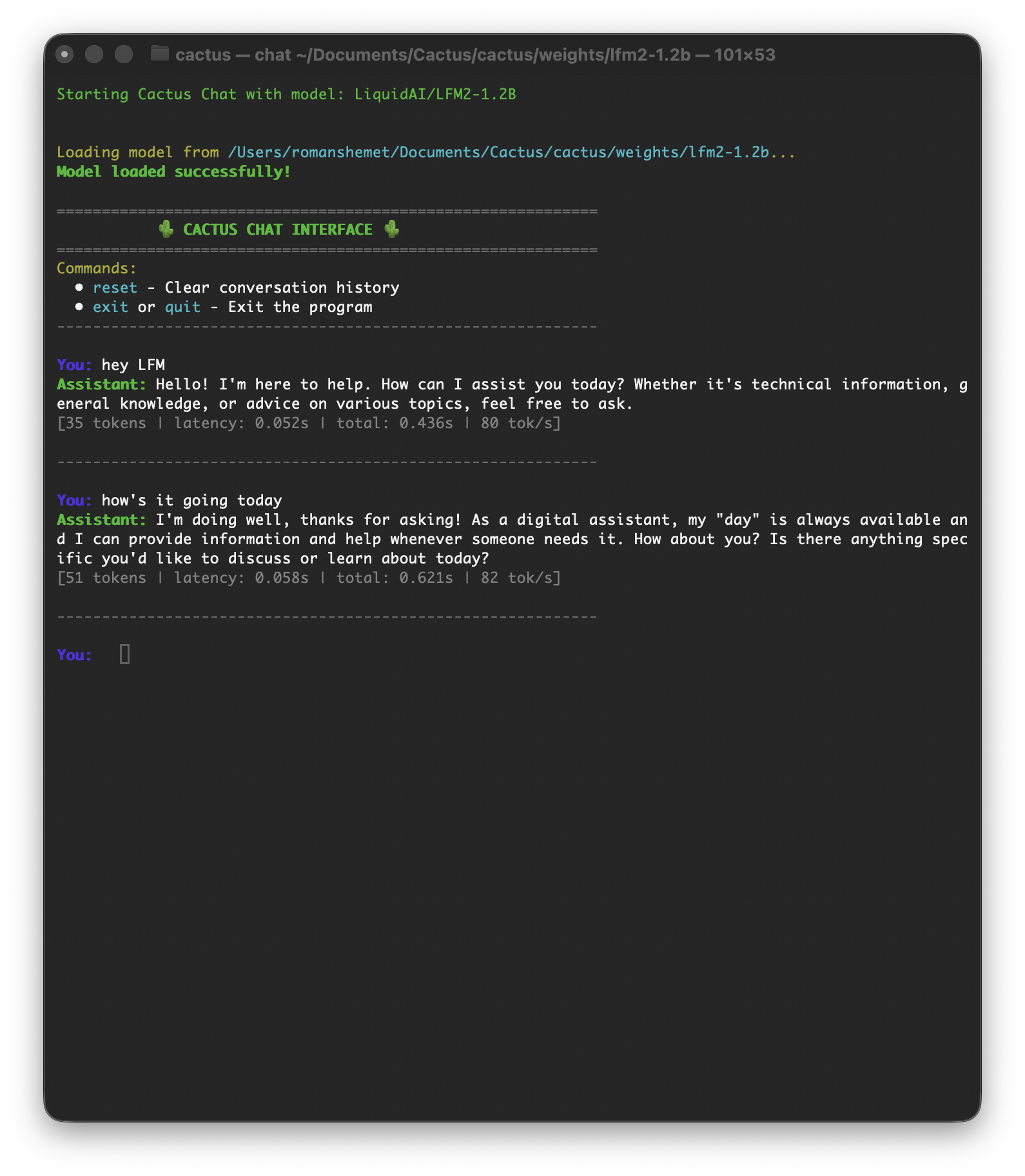
The Cactus CLI provides a command-line interface for running AI models locally.
cactus run
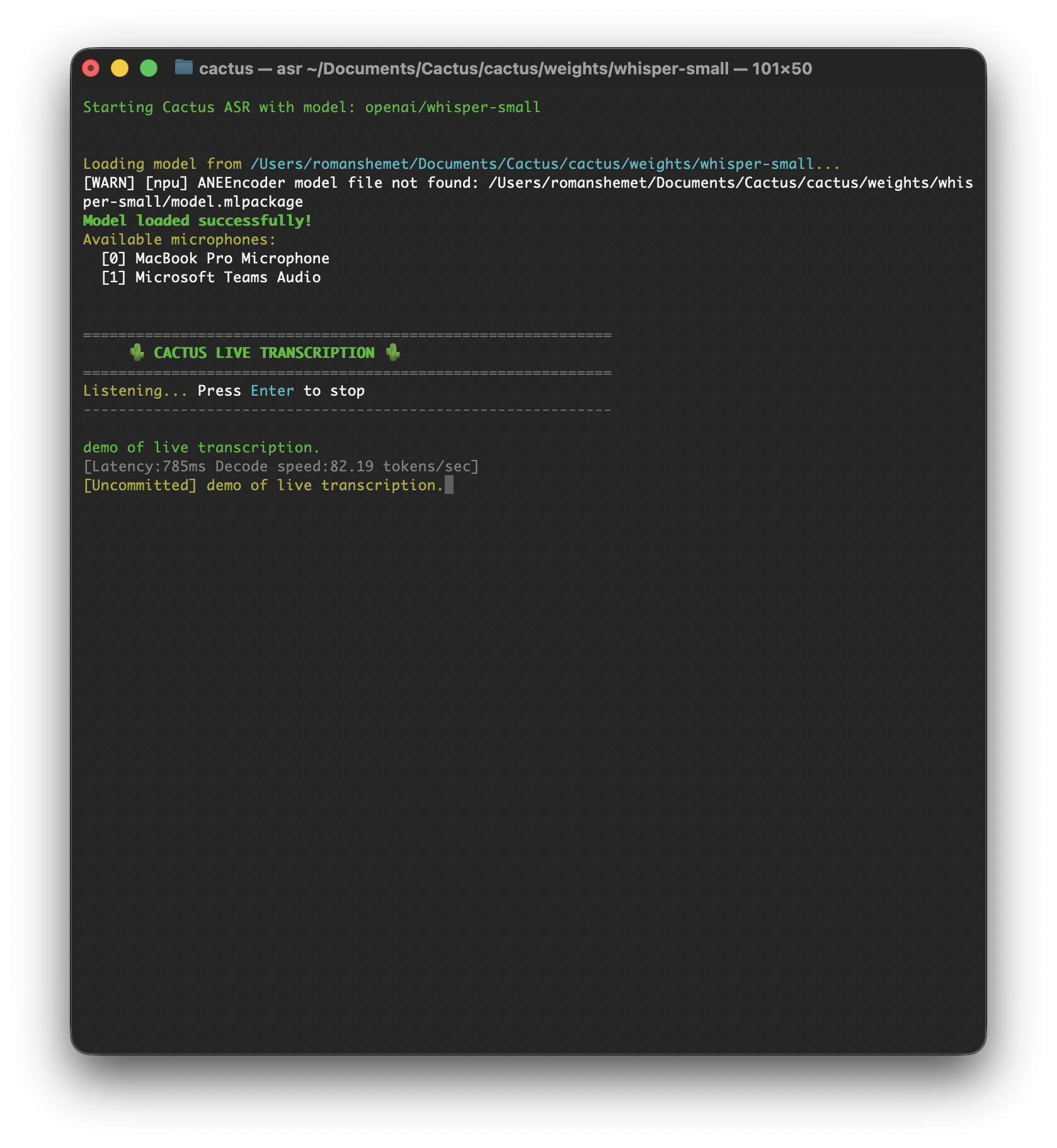
cactus transcribe
## Installation
```bash
git clone https://github.com/cactus-compute/cactus && cd cactus && source ./setup
```
```bash
sudo apt-get install python3 python3-venv python3-pip cmake build-essential libcurl4-openssl-dev
git clone https://github.com/cactus-compute/cactus && cd cactus && source ./setup
```
## Commands
| Command | Description |
| ------------------------------ | ------------------------------------------------------------------------------------- |
| `cactus run [model]` | Opens interactive playground (auto-downloads model) |
| `cactus download [model]` | Downloads model weights to `./weights` |
| `cactus convert [model] [dir]` | Converts model to `.cact` format, supports LoRA merging via `--lora ` |
| `cactus build` | Builds native libraries for ARM (`--apple` or `--android`) |
| `cactus test` | Runs tests with platform/model flags (`--ios`, `--android`, `--model`, `--precision`) |
| `cactus transcribe [model]` | Transcribe audio file (`--file`) or live microphone input |
| `cactus clean` | Removes build artifacts |
| `cactus --help` | Shows all available commands and flags |
## Download Models
```bash
# Download a model for offline use
cactus download LiquidAI/LFM2.5-1.2B-Instruct
# Models are stored in ./weights/
```
## LoRA Fine-tuning
```bash
# Convert a model with LoRA adapter
cactus convert LiquidAI/LFM2-350M ./output --lora path/to/lora
```
## Testing
```bash
# Test on iOS simulator
cactus test --ios --model LiquidAI/LFM2-350M
# Test on Android with specific precision
cactus test --android --model google/gemma-3-270m-it --precision int8
```
## Next Steps
Ask questions and engage the community
Contribute to the Cactus CLI on GitHub
Experience Cactus on your iPhone
# C++ Engine
URL: /docs/v1.6/cpp
Cactus Graph API, precision types, and native C++ engine internals
***
title: C++ Engine
description: Cactus Graph API, precision types, and native C++ engine internals
-------------------------------------------------------------------------------
import { Card, Cards } from "fumadocs-ui/components/card";
import { Tab, Tabs } from "fumadocs-ui/components/tabs";
import { Callout } from "fumadocs-ui/components/callout";
## Cactus Graph API
Build custom computation graphs with the PyTorch-like Graph API:
```cpp
#include
CactusGraph graph;
// Define inputs
auto a = graph.input({2, 3}, Precision::FP16);
auto b = graph.input({3, 4}, Precision::INT8);
// Build computation graph
auto x1 = graph.matmul(a, b, false);
auto x2 = graph.transpose(x1);
auto result = graph.matmul(b, x2, true);
// Set input data
float a_data[6] = {1.1f, 2.3f, 3.4f, 4.2f, 5.7f, 6.8f};
float b_data[12] = {1, 2, 3, 4, 5, 6, 7, 8, 9, 10, 11, 12};
graph.set_input(a, a_data, Precision::FP16);
graph.set_input(b, b_data, Precision::INT8);
// Execute
graph.execute();
// Get output
void* output_data = graph.get_output(result);
// Clean up
graph.hard_reset();
```
## Precision Types
* `Precision::FP32` - Full precision floating point
* `Precision::FP16` - Half precision (recommended for mobile)
* `Precision::INT8` - 8-bit quantized (best performance/size ratio)
* `Precision::INT4` - 4-bit quantized (smallest size)
## Error Handling
```cpp
int result = cactus_complete(...);
if (result != 0) {
// Parse error from response JSON
// error field will contain specific error message
}
```
Common error scenarios:
* Model not found or corrupted
* Insufficient memory
* Invalid input format
* Context length exceeded
## Performance Tips
1. **Use INT8 quantization** for best performance/quality balance
2. **Enable NPU** on Apple devices for vision and transcription models
3. **Implement cloud handoff** for complex queries
4. **Reuse model handles** across requests (don't reinitialize)
5. **Pre-allocate buffers** for streaming to avoid memory allocation overhead
## Next Steps
Explore the Cactus C++ implementation
Get help from the community
See performance metrics across devices
# Function Calling
URL: /docs/v1.6/function-calling
Enable structured outputs and tool use with on-device language models
***
title: Function Calling
description: Enable structured outputs and tool use with on-device language models
----------------------------------------------------------------------------------
import { Card, Cards } from "fumadocs-ui/components/card";
import { Tab, Tabs } from "fumadocs-ui/components/tabs";
import { Callout } from "fumadocs-ui/components/callout";
## Defining Tools
Tools are defined as JSON schemas that describe available functions:
```dart
final tools = [
{
'name': 'get_weather',
'description': 'Get weather for a location',
'parameters': {
'type': 'object',
'properties': {
'location': {'type': 'string', 'description': 'City name'}
},
'required': ['location']
}
}
];
```
```kotlin
val tools = listOf(
mapOf(
"name" to "get_weather",
"description" to "Get weather for a location",
"parameters" to mapOf(
"type" to "object",
"properties" to mapOf(
"location" to mapOf("type" to "string", "description" to "City name")
),
"required" to listOf("location")
)
)
)
```
```cpp
const char* tools = R"([
{
"name": "get_weather",
"description": "Get current weather for a location",
"parameters": {
"type": "object",
"properties": {
"location": {"type": "string"}
},
"required": ["location"]
}
}
])";
```
## Calling with Tools
Pass tools to the completion call and parse the structured response:
```dart
final result = model.completeMessages(
[Message.user("What's the weather in Paris?")],
tools: tools,
);
if (result.functionCalls != null) {
for (final call in result.functionCalls!) {
print('Function: ${call['name']}');
print('Arguments: ${call['arguments']}');
}
}
```
```kotlin
val result = model.complete(
messages = listOf(Message.user("What's the weather in Paris?")),
tools = tools
)
result.functionCalls?.forEach { call ->
println("Function: ${call["name"]}")
println("Arguments: ${call["arguments"]}")
}
```
```cpp
char response[4096];
cactus_complete(
model, messages, response, sizeof(response),
nullptr, // use default options
tools, // pass tools JSON
nullptr,
nullptr
);
```
The response JSON includes parsed function calls:
```json
{
"success": true,
"function_calls": [{
"name": "get_weather",
"arguments": {"location": "Paris"}
}],
"response": null,
"confidence": 0.91
}
```
## Tool Schema Reference
```tsx
interface Tool {
name: string;
description: string;
parameters: {
type: 'object';
properties: Record;
required?: string[];
};
}
```
## Tips
* **Keep descriptions clear** — The model uses tool descriptions to decide which function to call
* **Use required fields** — Mark parameters as required when they are always needed
* **Smaller models** may struggle with complex multi-tool scenarios; use larger models for reliability
* **Cloud handoff** — If the model confidence is low on a tool call, consider routing to a cloud API for better accuracy
# Overview
URL: /docs/v1.6
On-device and Hybrid cross-platform AI framework
***
title: Overview
description: On-device and Hybrid cross-platform AI framework
-------------------------------------------------------------
import { Badge } from "@/components/ui/badge";
import { Card, Cards } from "fumadocs-ui/components/card";
import { Tab, Tabs } from "fumadocs-ui/components/tabs";
import { Callout } from "fumadocs-ui/components/callout";
import Link from "next/link";
* **Audio Transcription:** Transcribe audio with Whisper (Small/Medium) and Moonshine models with Apple NPU support
* **Vision Models:** Support for LFM2-VL and LFM2.5-VL with image understanding capabilities
* **Apple NPU Acceleration:** Hardware acceleration for Whisper and vision models on Apple devices
* **New Models:** Gemma-3-270M, LFM2.5-1.2B-Thinking, Qwen3 variants, and more
* **Enhanced CLI:** Improved `cactus transcribe` command with live microphone support
Cactus is a hybrid inference engine for smartphones and edge devices. Cactus offers industry-leading on-device performance and automatically optimizes your AI workloads by routing requests between:
* **On-device:** Smaller models running on the Cactus engine with NPU acceleration
* **Cloud:** Frontier models for state-of-the-art performance
Cactus Hybrid measures model "confidence" in their responses in real-time and routes requests accordingly.
## Architecture
Cactus consists of three layers that work together to deliver efficient on-device AI:
**Energy-efficient inference engine**
OpenAI-compatible APIs for C/C++, Swift, Kotlin, Flutter. Supports tool calling, auto RAG, NPU acceleration, INT4 quantization, and hybrid cloud handoff for complex tasks.
**Zero-copy computation graph**
PyTorch-like API for implementing custom models. Highly optimized for RAM efficiency and lossless weight quantization.
**Low-level ARM SIMD kernels**
Optimized for Apple, Snapdragon, Google, Exynos, and MediaTek processors. Custom attention kernels with KV-Cache quantization and chunked prefill.
## Performance Benchmarks
Performance on INT8 quantized models:
**Flagship Models**
| Device | LFM2.5-1.2B (1k-Prefill/100-Decode) | LFM2.5-VL-1.6B (256px-Latency & Decode) | Whisper-Small (30s-audio-Latency & Decode) |
| ---------------- | ---------------------------------------- | -------------------------------------------- | ----------------------------------------------- |
| Mac M4 Pro | 582/77 tps | 0.2s & 76tps | 0.1s & 111tps |
| iPhone 17 Pro | 300/33 tps | 0.3s & 33tps | 0.6s & 114tps |
| Galaxy S25 Ultra | 226/36 tps | 2.6s & 33tps | 2.3s & 90tps |
**Mid-range Models**
| Device | LFM2-350m (1k-Prefill/100-Decode) | LFM2-VL-450m (256px-Latency & Decode) | Moonshine-Base (30s-audio-Latency & Decode) |
| -------- | -------------------------------------- | ------------------------------------------ | ------------------------------------------------ |
| Pixel 6a | 218/44 tps | 2.5s & 36 tps | 1.5s & 189 tps |
## How Hybrid Routing Works
Cactus eliminates the choice between expensive cloud and limited local compute.
* **Smart Routing:** Cactus dynamically routes requests to the on-device NPU/CPU for simple tasks (like clear audio transcription or standard LLM queries) and scales up to cloud APIs for complex or noisy data.
* **Cloud Fallback:** Configure your Cactus API key. Choose your fallback model. If the local model cannot handle the task complexity or context window, Cactus handles the failover automatically.
## FAQ
#### Is Cactus free?
Cactus will always have a free tier. Hybrid inference, custom models, and additional hardware acceleration are paid features.
#### What model format does Cactus use?
With the v1 release, Cactus moves from GGUF to a proprietary `.cact` format, which is optimized specifically for battery-efficient inference and minimal RAM usage (via zero-copy memory mapping). You can find a list of supported models [on our Hugging Face page](https://huggingface.co/Cactus-Compute).
#### Which models are supported?
You can find our list of supported models [on our Hugging Face page](https://huggingface.co/Cactus-Compute). You can [submit a request](mailto:founders@cactuscompute.com) for model support or [contribute](https://github.com/cactus-compute/cactus) by porting a model yourself!
## Get Started
Install Cactus and run your first model in minutes
Text generation, vision, streaming, and model options
Audio transcription with streaming support
Embeddings, vector search, and retrieval-augmented generation
## Community
* [Join our Discord](https://discord.gg/bNurx3AXTJ) - Get help and connect with other developers
* [Visualize Repository](https://repomapr.com/cactus-compute/cactus) - Explore the codebase structure
* [GitHub Repository](https://github.com/cactus-compute/cactus) - View source code and contribute
# LLM
URL: /docs/v1.6/llm
Text generation, vision, streaming, and model options with Cactus
***
title: LLM
description: Text generation, vision, streaming, and model options with Cactus
------------------------------------------------------------------------------
import { Card, Cards } from "fumadocs-ui/components/card";
import { Tab, Tabs } from "fumadocs-ui/components/tabs";
import { Callout } from "fumadocs-ui/components/callout";
## Basic Completion
```dart
import 'cactus.dart';
final model = Cactus.create('/path/to/model.gguf');
final result = model.complete('What is the capital of France?');
print(result.text);
model.dispose();
```
```kotlin
import com.cactus.*
val model = Cactus.create("/path/to/model")
val result = model.complete("What is the capital of France?")
println(result.text)
model.close()
```
```cpp
#include
cactus_model_t model = cactus_init("path/to/weight/folder", nullptr);
const char* messages = R"([
{"role": "system", "content": "You are a helpful assistant."},
{"role": "user", "content": "What is the capital of France?"}
])";
const char* options = R"({
"max_tokens": 50,
"stop_sequences": ["<|im_end|>"]
})";
char response[4096];
int result = cactus_complete(
model, messages, response, sizeof(response),
options, nullptr, nullptr, nullptr
);
```
**Response Format:**
```json
{
"success": true,
"error": null,
"cloud_handoff": false,
"response": "The capital of France is Paris.",
"function_calls": [],
"confidence": 0.8193,
"time_to_first_token_ms": 45.23,
"total_time_ms": 163.67,
"prefill_tps": 1621.89,
"decode_tps": 168.42,
"ram_usage_mb": 245.67,
"prefill_tokens": 28,
"decode_tokens": 50,
"total_tokens": 78
}
```
## Chat Messages
```dart
final model = Cactus.create(modelPath);
final result = model.completeMessages([
Message.system('You are a helpful assistant.'),
Message.user('What is 2 + 2?'),
]);
print(result.text);
model.dispose();
```
```kotlin
Cactus.create(modelPath).use { model ->
val result = model.complete(
messages = listOf(
Message.system("You are a helpful assistant."),
Message.user("What is 2 + 2?")
)
)
println(result.text)
}
```
## Completion Options
```dart
final options = CompletionOptions(
temperature: 0.7,
topP: 0.9,
topK: 40,
maxTokens: 256,
stopSequences: ['\n\n'],
);
final result = model.complete('Write a haiku:', options: options);
```
```kotlin
val options = CompletionOptions(
temperature = 0.7f,
topP = 0.9f,
topK = 40,
maxTokens = 256,
stopSequences = listOf("\n\n")
)
val result = model.complete("Write a haiku:", options)
```
## Streaming
```dart
final result = model.complete(
'Tell me a story',
callback: (token, tokenId) {
print(token);
},
);
```
```kotlin
val result = model.complete(
messages = listOf(Message.user("Tell me a story")),
callback = TokenCallback { token, tokenId ->
print(token)
}
)
```
```cpp
void token_callback(const char* token, int token_id, void* user_data) {
printf("%s", token);
fflush(stdout);
}
cactus_complete(
model, messages, response, sizeof(response),
nullptr, nullptr,
token_callback, // streaming callback
nullptr // user data
);
```
## Cloud Handoff
When the model lacks confidence, the response signals a cloud handoff:
The `CompletionResult` includes `needsCloudHandoff` and `confidence` fields. Check these to decide whether to route to a cloud API.
The `CompletionResult` includes `needsCloudHandoff` and `confidence` fields. Check these to decide whether to route to a cloud API.
```json
{
"success": true,
"cloud_handoff": true,
"response": null,
"confidence": 0.42
}
```
Your application should route to a cloud API when `cloud_handoff` is `true`.
## Performance Tips
* **Model Selection** - Use smaller models (`lfm2-350m`) for faster inference on mobile
* **Quantization** - `int4` uses less memory, `int8` is more accurate
* **NPU Acceleration** - Available on Apple devices for vision and transcription models
* **Memory** - Always call `dispose()` / `close()` when done to free resources
* **Reuse model handles** across requests (don't reinitialize)
# Quickstart
URL: /docs/v1.6/quickstart
Install Cactus and run your first on-device AI model
***
title: Quickstart
description: Install Cactus and run your first on-device AI model
-----------------------------------------------------------------
import { Card, Cards } from "fumadocs-ui/components/card";
import { Tab, Tabs } from "fumadocs-ui/components/tabs";
import { Callout } from "fumadocs-ui/components/callout";
import { Steps, Step } from "fumadocs-ui/components/steps";
## Installation
Clone and set up the Cactus repository:
```bash
git clone https://github.com/cactus-compute/cactus && cd cactus && git checkout v1.6.0 && source ./setup
```
Build the Flutter bindings:
```bash
cactus build --flutter
```
Output files:
| File | Platform |
| -------------------------- | ------------------- |
| `libcactus.so` | Android (arm64-v8a) |
| `cactus-ios.xcframework` | iOS |
| `cactus-macos.xcframework` | macOS |
| `cactus.dart` | Dart FFI bindings |
Clone and set up the Cactus repository:
```bash
git clone https://github.com/cactus-compute/cactus && cd cactus && git checkout v1.6.0 && source ./setup
```
Build the Android bindings:
```bash
cactus build --android
```
Build output: `android/build/lib/libcactus.so`
```bash
git clone https://github.com/cactus-compute/cactus && cd cactus && source ./setup
```
```bash
sudo apt-get install python3 python3-venv python3-pip cmake build-essential libcurl4-openssl-dev
git clone https://github.com/cactus-compute/cactus && cd cactus && source ./setup
```
Include the Cactus header in your project:
```cpp
#include
```
Build instructions are available in the [Cactus repository](https://github.com/cactus-compute/cactus).
## Platform Integration
### Android
Copy `libcactus.so` to `android/app/src/main/jniLibs/arm64-v8a/`
Copy `cactus.dart` to your `lib/` folder
### iOS
Copy `cactus-ios.xcframework` to your `ios/` folder
Open `ios/Runner.xcworkspace` in Xcode
Drag the xcframework into the project
In Runner target > General > "Frameworks, Libraries, and Embedded Content", set to "Embed & Sign"
Copy `cactus.dart` to your `lib/` folder
### macOS
Copy `cactus-macos.xcframework` to your `macos/` folder
Open `macos/Runner.xcworkspace` in Xcode
Drag the xcframework into the project
In Runner target > General > "Frameworks, Libraries, and Embedded Content", set to "Embed & Sign"
Copy `cactus.dart` to your `lib/` folder
1. Copy `libcactus.so` to `app/src/main/jniLibs/arm64-v8a/`
2. Copy `Cactus.kt` to `app/src/main/java/com/cactus/`
Source files:
| File | Copy to |
| ------------------- | ------------------------------------------- |
| `Cactus.common.kt` | `shared/src/commonMain/kotlin/com/cactus/` |
| `Cactus.android.kt` | `shared/src/androidMain/kotlin/com/cactus/` |
| `Cactus.ios.kt` | `shared/src/iosMain/kotlin/com/cactus/` |
| `cactus.def` | `shared/src/nativeInterop/cinterop/` |
Binary files:
| Platform | Location |
| -------- | -------------------------------------------------- |
| Android | `libcactus.so` → `app/src/main/jniLibs/arm64-v8a/` |
| iOS | `libcactus-device.a` → link via cinterop |
Configure `build.gradle.kts`:
```kotlin
kotlin {
androidTarget()
listOf(iosArm64(), iosSimulatorArm64()).forEach {
it.compilations.getByName("main") {
cinterops {
create("cactus") {
defFile("src/nativeInterop/cinterop/cactus.def")
includeDirs("/path/to/cactus/ffi")
}
}
}
it.binaries.framework {
linkerOpts("-L/path/to/apple", "-lcactus-device")
}
}
sourceSets {
commonMain.dependencies {
implementation("org.jetbrains.kotlinx:kotlinx-serialization-json:1.6.0")
}
}
}
```
## Your First Completion
```dart
import 'cactus.dart';
final model = Cactus.create('/path/to/model.gguf');
final result = model.complete('What is the capital of France?');
print(result.text);
model.dispose();
```
```kotlin
import com.cactus.*
val model = Cactus.create("/path/to/model")
val result = model.complete("What is the capital of France?")
println(result.text)
model.close()
```
```bash
# Download and run LiquidAI's LFM2-350M
cactus run LiquidAI/LFM2-350M
# Or use a specific model
cactus run google/gemma-3-270m-it
```
```cpp
#include
cactus_model_t model = cactus_init("path/to/weight/folder", nullptr);
const char* messages = R"([
{"role": "system", "content": "You are a helpful assistant."},
{"role": "user", "content": "What is the capital of France?"}
])";
char response[4096];
int result = cactus_complete(
model, messages, response, sizeof(response),
nullptr, nullptr, nullptr, nullptr
);
```
## Supported Models
v1.6 includes support for:
* **LLMs:** Gemma-3, LiquidAI LFM2/LFM2.5, Qwen3 (with completion, tools, embeddings)
* **Vision:** LFM2-VL, LFM2.5-VL (with Apple NPU support)
* **Transcription:** Whisper (Small/Medium with Apple NPU), Moonshine-Base
* **Embeddings:** Nomic-Embed, Qwen3-Embedding
See the [our Hugging Face page](https://huggingface.co/Cactus-Compute) for the complete list.
## Requirements
Flutter 3.0+, Dart 2.17+, iOS 14.0+ / macOS 13.0+, Android API 24+ / arm64-v8a
Android API 24+ / arm64-v8a, iOS 14+ / arm64 (KMP only), Kotlin 1.9+
## Next Steps
Text generation, vision, streaming, and model options
Structured outputs and tool use
Audio transcription with streaming support
Embeddings, vector search, and retrieval-augmented generation
# RAG & Embedding
URL: /docs/v1.6/rag
Embeddings, vector search, and retrieval-augmented generation
***
title: RAG & Embedding
description: Embeddings, vector search, and retrieval-augmented generation
--------------------------------------------------------------------------
import { Card, Cards } from "fumadocs-ui/components/card";
import { Tab, Tabs } from "fumadocs-ui/components/tabs";
import { Callout } from "fumadocs-ui/components/callout";
## Embeddings
Generate text, image, and audio embeddings on-device.
```dart
// Text embeddings
final embedding = model.embed('Hello, world!');
// Image embeddings
final imageEmbedding = model.imageEmbed('/path/to/image.jpg');
// Audio embeddings
final audioEmbedding = model.audioEmbed('/path/to/audio.wav');
```
```kotlin
// Text embeddings
val embedding = model.embed("Hello, world!")
// Image embeddings
val imageEmbedding = model.imageEmbed("/path/to/image.jpg")
// Audio embeddings
val audioEmbedding = model.audioEmbed("/path/to/audio.wav")
```
## Auto-RAG
Pass a corpus directory at model initialization for automatic retrieval-augmented generation.
```dart
final model = Cactus.create(
'/path/to/model.gguf',
corpusDir: '/path/to/documents',
);
final result = model.complete('What does the documentation say about X?');
```
```kotlin
val model = Cactus.create(
modelPath = "/path/to/model",
corpusDir = "/path/to/documents"
)
val result = model.complete("What does the documentation say about X?")
```
```cpp
cactus_model_t model = cactus_init(
"path/to/weight/folder",
"path/to/rag/documents", // auto-RAG corpus directory
);
char response[4096];
cactus_complete(model, messages, response, sizeof(response),
nullptr, nullptr, nullptr, nullptr);
```
## Vector Index
Build and query an on-device vector index for similarity search.
```dart
final index = CactusIndex.create('/path/to/index', embeddingDim: 384);
index.add(
ids: [1, 2],
documents: ['Document 1', 'Document 2'],
embeddings: [
model.embed('Document 1'),
model.embed('Document 2'),
],
);
final results = index.query(model.embed('search query'), topK: 5);
for (final r in results) {
print('ID: ${r.id}, Score: ${r.score}');
}
index.dispose();
```
```kotlin
CactusIndex.create("/path/to/index", embeddingDim = 384).use { index ->
val embeddings = arrayOf(model.embed("doc1"), model.embed("doc2"))
index.add(
ids = intArrayOf(1, 2),
documents = arrayOf("Document 1", "Document 2"),
embeddings = embeddings
)
val results = index.query(model.embed("search query"), topK = 5)
results.forEach { println("ID: ${it.id}, Score: ${it.score}") }
}
```
## Tokenization
```dart
final tokens = model.tokenize('Hello, world!');
final scores = model.scoreWindow(tokens, 0, tokens.length, 512);
```
```kotlin
val tokens = model.tokenize("Hello, world!")
val scores = model.scoreWindow(tokens, start = 0, end = tokens.size, context = 512)
```
# Transcription
URL: /docs/v1.6/transcription
Audio transcription with streaming support
***
title: Transcription
description: Audio transcription with streaming support
-------------------------------------------------------
import { Card, Cards } from "fumadocs-ui/components/card";
import { Tab, Tabs } from "fumadocs-ui/components/tabs";
import { Callout } from "fumadocs-ui/components/callout";
## Basic Transcription
```dart
final result = model.transcribe('/path/to/audio.wav');
print(result.text);
```
```dart
// 16kHz mono PCM
final pcmData = Uint8List.fromList([...]);
final result = model.transcribePcm(pcmData);
print(result.text);
```
```kotlin
val result = model.transcribe("/path/to/audio.wav")
println(result.text)
```
```kotlin
val pcmData: ByteArray = ... // 16kHz mono PCM
val result = model.transcribe(pcmData)
println(result.text)
```
```bash
# Transcribe an audio file
cactus transcribe openai/whisper-small --file recording.mp3
# Live microphone transcription
cactus transcribe UsefulSensors/moonshine-base
```
## Streaming Transcription
Real-time transcription with incremental results.
```dart
final stream = model.createStreamTranscriber();
stream.insert(audioChunk1);
stream.insert(audioChunk2);
final partial = stream.process();
print('Partial: ${partial.text}');
final finalResult = stream.finalize();
print('Final: ${finalResult.text}');
stream.dispose();
```
```kotlin
model.createStreamTranscriber().use { stream ->
stream.insert(audioChunk1)
stream.insert(audioChunk2)
val partial = stream.process()
println("Partial: ${partial.text}")
val final = stream.finalize()
println("Final: ${final.text}")
}
```
## Supported Models
* **Whisper Small/Medium** - OpenAI Whisper with Apple NPU support
* **Moonshine-Base** - Lightweight transcription model
## Performance Tips
* **NPU Acceleration** - Whisper models support Apple NPU for significantly faster transcription
* **Model Selection** - Whisper Small is faster, Whisper Medium is more accurate
* **Streaming** - Use streaming transcription for real-time applications
* **Memory** - Always call `dispose()` / `close()` when done to free resources
# API Reference
URL: /docs/v1.7/api-reference
Complete API reference for all Cactus SDKs
***
title: API Reference
description: Complete API reference for all Cactus SDKs
-------------------------------------------------------
import { Tab, Tabs } from "fumadocs-ui/components/tabs";
Complete class and type definitions for each SDK.
## CactusLM
```tsx
class CactusLM {
constructor(options?: { model?: string; options?: { quantization?: 'int4' | 'int8'; pro?: boolean } });
download(): Promise;
init(): Promise;
destroy(): void;
complete(params: {
messages: Array<{ role: string; content: string; images?: string[] }>;
tools?: Tool[];
onToken?: (token: string) => void;
}): Promise;
embed(params: CactusLMEmbedParams): Promise;
imageEmbed(params: { imagePath: string }): Promise;
}
```
## useCactusLM Hook
```tsx
function useCactusLM(options?: { model?: string }): {
isDownloaded: boolean;
isDownloading: boolean;
downloadProgress: number;
isGenerating: boolean;
completion: string;
download(): Promise;
complete(params: { messages: Message[] }): Promise;
};
```
## CactusSTT
```tsx
class CactusSTT {
constructor(options: { model: string });
init(): Promise;
destroy(): void;
transcribe(params: {
audio: string | number[];
onToken?: (token: string) => void;
}): Promise;
streamTranscribeStart(options?: {
confirmationThreshold?: number;
minChunkSize?: number;
}): Promise;
streamTranscribeProcess(params: {
audio: number[];
}): Promise;
streamTranscribeStop(): Promise;
audioEmbed(params: { audioPath: string }): Promise;
}
```
## useCactusSTT Hook
```tsx
function useCactusSTT(options: { model: string }): {
transcription: string;
isTranscribing: boolean;
transcribe(params: { audio: string | number[] }): Promise;
};
```
## CactusVAD
```tsx
class CactusVAD {
constructor(options: { model: string });
vad(params: {
audio: string | number[];
options?: {
threshold?: number;
minSpeechDurationMs?: number;
};
}): Promise;
}
```
## useCactusVAD Hook
```tsx
function useCactusVAD(options: { model: string }): {
vad(params: { audio: string | number[] }): Promise;
};
```
## CactusIndex
```tsx
class CactusIndex {
constructor(name: string, embeddingDim: number);
init(): Promise;
destroy(): void;
add(params: {
ids: number[];
documents: string[];
embeddings: number[][];
metadatas?: string[];
}): Promise;
query(params: {
embeddings: number[][];
options?: { topK?: number };
}): Promise;
}
```
## useCactusIndex Hook
```tsx
function useCactusIndex(options: { name: string; embeddingDim: number }): {
init(): Promise;
};
```
## Types
```tsx
interface CompletionResult {
response: string;
cloudHandoff: boolean;
functionCalls?: Array<{ name: string; arguments: Record }>;
}
interface TranscriptionResult {
text: string;
segments?: Array<{ start: number; end: number; text: string }>;
}
interface StreamResult {
confirmed: string;
pending: string;
cloudResult?: string;
}
interface VADResult {
segments: Array<{ start: number; end: number }>;
}
interface QueryResult {
ids: number[];
scores: number[];
}
interface CactusLMEmbedParams {
text: string;
normalize?: boolean;
}
interface CactusLMEmbedResult {
embedding: number[];
}
interface CactusLMImageEmbedResult {
embedding: number[];
}
interface CactusSTTAudioEmbedResult {
embedding: number[];
}
interface Tool {
name: string;
description: string;
parameters: {
type: 'object';
properties: Record;
required?: string[];
};
}
```
## Cactus
```dart
class Cactus {
static Cactus create(String modelPath, {String? corpusDir});
CompletionResult complete(
String prompt,
{CompletionOptions options, void Function(String, int)? onToken}
);
CompletionResult completeMessages(
List messages,
{CompletionOptions options, List>? tools, void Function(String, int)? onToken}
);
TranscriptionResult transcribe(String audioPath, {String? prompt, TranscriptionOptions options});
TranscriptionResult transcribePcm(Uint8List pcmData, {String? prompt, TranscriptionOptions options});
List embed(String text, {bool normalize = true});
List imageEmbed(String imagePath);
List audioEmbed(String audioPath);
String ragQuery(String query, {int topK = 5});
List tokenize(String text);
String scoreWindow(List tokens, int start, int end, int context);
StreamTranscriber createStreamTranscriber();
void reset();
void stop();
void dispose();
static String getLastError();
}
```
## Message
```dart
class Message {
static Message system(String content);
static Message user(String content);
static Message assistant(String content);
}
```
## CompletionOptions
```dart
class CompletionOptions {
final double temperature;
final double topP;
final int topK;
final int maxTokens;
final List stopSequences;
final double confidenceThreshold;
static const defaultOptions;
}
```
## CompletionResult
```dart
class CompletionResult {
final String text;
final List>? functionCalls;
final int promptTokens;
final int completionTokens;
final double timeToFirstToken;
final double totalTime;
final double prefillTokensPerSecond;
final double decodeTokensPerSecond;
final double confidence;
final bool needsCloudHandoff;
}
```
## TranscriptionResult
```dart
class TranscriptionResult {
final String text;
final List>? segments;
final double totalTime;
}
```
## StreamTranscriber
```dart
class StreamTranscriber {
void insert(Uint8List pcmData);
TranscriptionResult process({String? language});
TranscriptionResult finalize();
void dispose();
}
```
## CactusIndex
```dart
class CactusIndex {
static CactusIndex create(String indexDir, {required int embeddingDim});
void add({
required List ids,
required List documents,
required List> embeddings,
List? metadatas
});
void delete(List ids);
List query(List embedding, {int topK = 5});
void compact();
void dispose();
}
class IndexResult {
final int id;
final double score;
}
```
## Cactus
```kotlin
object Cactus {
fun create(modelPath: String, corpusDir: String? = null): Cactus
}
fun complete(
prompt: String,
options: CompletionOptions = CompletionOptions()
): CompletionResult
fun complete(
messages: List,
options: CompletionOptions = CompletionOptions(),
tools: List>? = null,
callback: TokenCallback? = null
): CompletionResult
fun transcribe(
audioPath: String,
prompt: String? = null,
language: String? = null,
translate: Boolean = false
): TranscriptionResult
fun transcribe(
pcmData: ByteArray,
prompt: String? = null,
language: String? = null,
translate: Boolean = false
): TranscriptionResult
fun embed(text: String, normalize: Boolean = true): FloatArray
fun imageEmbed(imagePath: String): FloatArray
fun audioEmbed(audioPath: String): FloatArray
fun ragQuery(query: String, topK: Int = 5): String
fun tokenize(text: String): IntArray
fun scoreWindow(tokens: IntArray, start: Int, end: Int, context: Int): String
fun createStreamTranscriber(): StreamTranscriber
fun reset()
fun stop()
fun close()
```
## Message
```kotlin
data class Message(val role: String, val content: String) {
companion object {
fun system(content: String): Message
fun user(content: String): Message
fun assistant(content: String): Message
}
}
```
## CompletionOptions
```kotlin
data class CompletionOptions(
val temperature: Float = 0.7f,
val topP: Float = 0.9f,
val topK: Int = 40,
val maxTokens: Int = 512,
val stopSequences: List = emptyList(),
val confidenceThreshold: Float = 0f
)
```
## CompletionResult
```kotlin
data class CompletionResult(
val text: String,
val functionCalls: List>?,
val promptTokens: Int,
val completionTokens: Int,
val timeToFirstToken: Double,
val totalTime: Double,
val prefillTokensPerSecond: Double,
val decodeTokensPerSecond: Double,
val confidence: Double,
val needsCloudHandoff: Boolean
)
```
## TranscriptionResult
```kotlin
data class TranscriptionResult(
val text: String,
val segments: List>?,
val totalTime: Double
)
```
## TokenCallback
```kotlin
fun interface TokenCallback {
fun onToken(token: String, tokenId: Int)
}
```
## StreamTranscriber
```kotlin
class StreamTranscriber : Closeable {
fun insert(pcmData: ByteArray)
fun process(language: String? = null): TranscriptionResult
fun finalize(): TranscriptionResult
override fun close()
}
```
## CactusIndex
```kotlin
class CactusIndex : Closeable {
companion object {
fun create(indexDir: String, embeddingDim: Int): CactusIndex
}
fun add(
ids: IntArray,
documents: Array,
embeddings: Array,
metadatas: Array? = null
)
fun delete(ids: IntArray)
fun query(embedding: FloatArray, topK: Int = 5): List
fun compact()
override fun close()
}
data class IndexResult(val id: Int, val score: Float)
```
## Core Functions
```cpp
// Initialize a model
cactus_model_t cactus_init(
const char* model_path, // Path to weight folder
const char* corpus_dir // Optional: RAG corpus directory (or nullptr)
);
// Run completion
int cactus_complete(
cactus_model_t model, // Model handle from cactus_init
const char* messages, // Chat messages as JSON array
char* response, // Output buffer
size_t response_size, // Buffer size
const char* options, // Generation options JSON (or nullptr)
const char* tools, // Tool definitions JSON (or nullptr)
void (*callback)(const char* token, int token_id, void* user_data),
void* user_data // User data passed to callback
);
```
## Options JSON
```json
{
"max_tokens": 512,
"stop_sequences": ["<|im_end|>"],
"temperature": 0.7,
"top_p": 0.9,
"top_k": 40
}
```
## Response JSON
```json
{
"success": true,
"error": null,
"cloud_handoff": false,
"response": "The capital of France is Paris.",
"function_calls": [],
"confidence": 0.8193,
"time_to_first_token_ms": 45.23,
"total_time_ms": 163.67,
"prefill_tps": 1621.89,
"decode_tps": 168.42,
"ram_usage_mb": 245.67,
"prefill_tokens": 28,
"decode_tokens": 50,
"total_tokens": 78
}
```
## Graph API
```cpp
class CactusGraph {
Tensor input(std::vector shape, Precision precision);
Tensor matmul(Tensor a, Tensor b, bool transpose_b);
Tensor transpose(Tensor t);
void set_input(Tensor t, void* data, Precision precision);
void execute();
void* get_output(Tensor t);
void hard_reset();
};
```
## Precision Enum
```cpp
enum class Precision {
FP32, // Full precision floating point
FP16, // Half precision
INT8, // 8-bit quantized
INT4 // 4-bit quantized
};
```
See the [GitHub repository](https://github.com/cactus-compute/cactus) for the complete source code and additional usage examples.
# CLI Reference
URL: /docs/v1.7/cli
Command-line interface for Cactus LLM completion, transcription, function calling, and hybrid cloud routing
***
title: CLI Reference
description: Command-line interface for Cactus LLM completion, transcription, function calling, and hybrid cloud routing
------------------------------------------------------------------------------------------------------------------------
import { Card, Cards } from "fumadocs-ui/components/card";
import { Tab, Tabs } from "fumadocs-ui/components/tabs";
The Cactus CLI provides a command-line interface for running AI models locally with automatic cloud handoff.
cactus run
cactus transcribe
## Installation
```bash
brew install cactus-compute/cactus/cactus
```
**macOS:**
```bash
git clone https://github.com/cactus-compute/cactus && cd cactus && source ./setup
```
**Linux:**
```bash
sudo apt-get install python3 python3-venv python3-pip cmake build-essential libcurl4-openssl-dev
git clone https://github.com/cactus-compute/cactus && cd cactus && source ./setup
```
## Commands
| Command | Description |
| ------------------------------ | ------------------------------------------------------------------------------------- |
| `cactus run [model]` | Opens interactive playground (auto-downloads model) |
| `cactus auth` | Configure cloud API credentials for hybrid routing |
| `cactus download [model]` | Downloads model weights to `./weights` |
| `cactus convert [model] [dir]` | Converts model to `.cact` format, supports LoRA merging via `--lora ` |
| `cactus build` | Builds native libraries for ARM (`--apple` or `--android`) |
| `cactus test` | Runs tests with platform/model flags (`--ios`, `--android`, `--model`, `--precision`) |
| `cactus transcribe [model]` | Transcribe audio file (`--file`) or live microphone input |
| `cactus clean` | Removes build artifacts |
| `cactus --help` | Shows all available commands and flags |
## Download Models
```bash
# Download a model for offline use
cactus download LiquidAI/LFM2.5-1.2B-Instruct
# Download with specific precision
cactus download LiquidAI/LFM2.5-1.2B-Instruct --precision int8
# Models are stored in ./weights/
```
## LoRA Fine-tuning
```bash
# Convert a model with LoRA adapter
cactus convert LiquidAI/LFM2-350M ./output --lora path/to/lora
```
## Testing
```bash
# Test on iOS simulator
cactus test --ios --model LiquidAI/LFM2-350M
# Test on Android with specific precision
cactus test --android --model google/gemma-3-270m-it --precision int8
```
## Build SDK Libraries
```bash
# Build for Apple platforms (iOS/macOS)
cactus build --apple
# Build for Android
cactus build --android
# Build Flutter bindings
cactus build --flutter
```
## Next Steps
Ask questions and engage the community
Contribute to the Cactus CLI on GitHub
Experience Cactus on your iPhone
# C++ Engine
URL: /docs/v1.7/cpp
Cactus Graph API, precision types, and native C++ engine internals
***
title: C++ Engine
description: Cactus Graph API, precision types, and native C++ engine internals
-------------------------------------------------------------------------------
import { Card, Cards } from "fumadocs-ui/components/card";
import { Tab, Tabs } from "fumadocs-ui/components/tabs";
import { Callout } from "fumadocs-ui/components/callout";
## Cactus Graph API
Build custom computation graphs with the PyTorch-like Graph API:
```cpp
#include
CactusGraph graph;
// Define inputs
auto a = graph.input({2, 3}, Precision::FP16);
auto b = graph.input({3, 4}, Precision::INT8);
// Build computation graph
auto x1 = graph.matmul(a, b, false);
auto x2 = graph.transpose(x1);
auto result = graph.matmul(b, x2, true);
// Set input data
float a_data[6] = {1.1f, 2.3f, 3.4f, 4.2f, 5.7f, 6.8f};
float b_data[12] = {1, 2, 3, 4, 5, 6, 7, 8, 9, 10, 11, 12};
graph.set_input(a, a_data, Precision::FP16);
graph.set_input(b, b_data, Precision::INT8);
// Execute
graph.execute();
// Get output
void* output_data = graph.get_output(result);
// Clean up
graph.hard_reset();
```
## Precision Types
* `Precision::FP32` - Full precision floating point
* `Precision::FP16` - Half precision (recommended for mobile)
* `Precision::INT8` - 8-bit quantized (best performance/size ratio)
* `Precision::INT4` - 4-bit quantized (smallest size)
## Error Handling
```cpp
int result = cactus_complete(...);
if (result != 0) {
// Parse error from response JSON
// error field will contain specific error message
}
```
Common error scenarios:
* Model not found or corrupted
* Insufficient memory
* Invalid input format
* Context length exceeded
## Performance Tips
1. **Use INT8 quantization** for best performance/quality balance
2. **Enable NPU** on Apple devices for vision and transcription models
3. **Implement cloud handoff** for complex queries
4. **Reuse model handles** across requests (don't reinitialize)
5. **Pre-allocate buffers** for streaming to avoid memory allocation overhead
## Next Steps
Explore the Cactus C++ implementation
Get help from the community
See performance metrics across devices
# Function Calling
URL: /docs/v1.7/function-calling
Enable structured outputs and tool use with on-device language models
***
title: Function Calling
description: Enable structured outputs and tool use with on-device language models
----------------------------------------------------------------------------------
import { Card, Cards } from "fumadocs-ui/components/card";
import { Tab, Tabs } from "fumadocs-ui/components/tabs";
import { Callout } from "fumadocs-ui/components/callout";
## Defining Tools
Tools are defined as JSON schemas that describe available functions:
```tsx
const tools = [
{
name: 'get_weather',
description: 'Get weather for a location',
parameters: {
type: 'object',
properties: {
location: { type: 'string', description: 'City name' }
},
required: ['location']
}
}
];
```
```dart
final tools = [
{
'name': 'get_weather',
'description': 'Get weather for a location',
'parameters': {
'type': 'object',
'properties': {
'location': {'type': 'string', 'description': 'City name'}
},
'required': ['location']
}
}
];
```
```kotlin
val tools = listOf(
mapOf(
"name" to "get_weather",
"description" to "Get weather for a location",
"parameters" to mapOf(
"type" to "object",
"properties" to mapOf(
"location" to mapOf("type" to "string", "description" to "City name")
),
"required" to listOf("location")
)
)
)
```
```cpp
const char* tools = R"([
{
"name": "get_weather",
"description": "Get current weather for a location",
"parameters": {
"type": "object",
"properties": {
"location": {"type": "string"}
},
"required": ["location"]
}
}
])";
```
## Calling with Tools
Pass tools to the completion call and parse the structured response:
```tsx
import { CactusLM } from 'cactus-react-native';
const cactusLM = new CactusLM();
await cactusLM.download();
await cactusLM.init();
const result = await cactusLM.complete({
messages: [{ role: 'user', content: "What's the weather in SF?" }],
tools
});
console.log(result.functionCalls);
// [{ name: 'get_weather', arguments: { location: 'San Francisco' } }]
```
```dart
final result = model.completeMessages(
[Message.user("What's the weather in Paris?")],
tools: tools,
);
if (result.functionCalls != null) {
for (final call in result.functionCalls!) {
print('Function: ${call['name']}');
print('Arguments: ${call['arguments']}');
}
}
```
```kotlin
val result = model.complete(
messages = listOf(Message.user("What's the weather in Paris?")),
tools = tools
)
result.functionCalls?.forEach { call ->
println("Function: ${call["name"]}")
println("Arguments: ${call["arguments"]}")
}
```
```cpp
char response[4096];
cactus_complete(
model, messages, response, sizeof(response),
nullptr, // use default options
tools, // pass tools JSON
nullptr,
nullptr
);
```
The response JSON includes parsed function calls:
```json
{
"success": true,
"function_calls": [{
"name": "get_weather",
"arguments": {"location": "Paris"}
}],
"response": null,
"confidence": 0.91
}
```
## Multi-Tool Example
You can define multiple tools and the model will select the appropriate one:
```tsx
const tools = [
{
name: 'get_weather',
description: 'Get weather for a location',
parameters: {
type: 'object',
properties: {
location: { type: 'string', description: 'City name' }
},
required: ['location']
}
},
{
name: 'search_web',
description: 'Search the web for information',
parameters: {
type: 'object',
properties: {
query: { type: 'string', description: 'Search query' }
},
required: ['query']
}
}
];
const result = await cactusLM.complete({
messages: [{ role: 'user', content: 'Look up the latest news about AI' }],
tools
});
// Model picks the right tool
// [{ name: 'search_web', arguments: { query: 'latest AI news' } }]
```
## Tool Schema Reference
```tsx
interface Tool {
name: string;
description: string;
parameters: {
type: 'object';
properties: Record;
required?: string[];
};
}
```
## Tips
* **Keep descriptions clear** — The model uses tool descriptions to decide which function to call
* **Use required fields** — Mark parameters as required when they are always needed
* **Smaller models** may struggle with complex multi-tool scenarios; use larger models for reliability
* **Cloud handoff** — If the model confidence is low on a tool call, consider routing to Cactus Cloud for better accuracy
# Hybrid AI
URL: /docs/v1.7/hybrid-ai
Automatic cloud handoff and confidence-based routing between on-device and cloud models
***
title: Hybrid AI
description: Automatic cloud handoff and confidence-based routing between on-device and cloud models
----------------------------------------------------------------------------------------------------
import { Card, Cards } from "fumadocs-ui/components/card";
import { Tab, Tabs } from "fumadocs-ui/components/tabs";
import { Callout } from "fumadocs-ui/components/callout";
## How It Works
Cactus measures model **confidence** in real-time during inference. When confidence drops below a threshold, or when the query exceeds device capabilities, Cactus automatically hands off to a cloud model.
* **Simple queries** (clear audio, standard completions) → on-device NPU/CPU
* **Complex queries** (noisy audio, long context, ambiguous prompts) → Cactus Cloud
## Setup
Set the `CACTUS_CLOUD_API_KEY` environment variable and Cactus handles handoff automatically.
For Live Transcription, handoff is fully automatic out of the box. For Language Model and Batch Transcription, contact us to enable cloud handoff.
The `CompletionResult` includes `needsCloudHandoff` and `confidence` fields. When `needsCloudHandoff` is `true`, your application should route the request to a cloud API for better accuracy.
```dart
final result = model.complete('Explain quantum entanglement');
if (result.needsCloudHandoff) {
// Route to cloud API
print('Confidence: ${result.confidence}');
}
```
The `CompletionResult` includes `needsCloudHandoff` and `confidence` fields. When `needsCloudHandoff` is `true`, your application should route the request to a cloud API for better accuracy.
```kotlin
val result = model.complete("Explain quantum entanglement")
if (result.needsCloudHandoff) {
// Route to cloud API
println("Confidence: ${result.confidence}")
}
```
Configure your Cactus API key:
```bash
cactus auth
```
This enables automatic cloud handoff when the local model confidence is low or context exceeds device limits. The CLI automatically routes simple queries to on-device models, falls back to cloud APIs for complex queries or low confidence, handles context window overflow gracefully, and maintains conversation history across cloud/device switches.
Cloud handoff is signaled in the response. Your application should check the `cloud_handoff` field and route to a cloud API when it is `true`.
## Hybrid Transcription
Live transcription with automatic cloud correction:
```tsx
import { CactusSTT } from 'cactus-react-native';
const cactusSTT = new CactusSTT({ model: 'whisper-small' });
await cactusSTT.init();
// Automatic handoff to Cactus Cloud when CACTUS_CLOUD_API_KEY is set
await cactusSTT.streamTranscribeStart();
const result = await cactusSTT.streamTranscribeProcess({
audio: audioChunk
});
// Cactus automatically uses cloud for low-confidence segments
console.log(result.confirmed); // Uses cloud result when needed
console.log(result.cloudResult); // Cloud transcription if available
```
```bash
# Transcribe with cloud fallback for noisy audio
cactus transcribe openai/whisper-small --file recording.mp3 --cloud-key YOUR_API_KEY
```
**Live Transcription** has automatic Cactus Cloud handoff out of the box. For Language Model and Batch Transcription, contact us to enable cloud handoff.
## Hybrid Language Model
```tsx
import { CactusLM } from 'cactus-react-native';
const cactusLM = new CactusLM();
await cactusLM.init();
const result = await cactusLM.complete({
messages: [{ role: 'user', content: 'Explain quantum entanglement' }]
});
if (result.cloudHandoff) {
// Use Cactus Cloud for better accuracy
// Contact us to enable: hello@cactuscompute.com
} else {
console.log(result.response);
}
```
The `CompletionResult` includes `needsCloudHandoff` and `confidence` fields. Check these to decide whether to route to a cloud API.
```dart
final result = model.complete('Explain quantum entanglement');
if (result.needsCloudHandoff) {
// Route to cloud API for better accuracy
print('Confidence too low: ${result.confidence}');
} else {
print(result.text);
}
```
The `CompletionResult` includes `needsCloudHandoff` and `confidence` fields. Check these to decide whether to route to a cloud API.
```kotlin
val result = model.complete("Explain quantum entanglement")
if (result.needsCloudHandoff) {
// Route to cloud API for better accuracy
println("Confidence too low: ${result.confidence}")
} else {
println(result.text)
}
```
When the model lacks confidence or encounters complex tasks:
```json
{
"success": true,
"cloud_handoff": true,
"response": null,
"confidence": 0.42
}
```
Your application should route to a cloud API when `cloud_handoff` is `true`.
# Overview
URL: /docs/v1.7
On-device and Hybrid cross-platform AI framework
***
title: Overview
description: On-device and Hybrid cross-platform AI framework
-------------------------------------------------------------
import { Badge } from "@/components/ui/badge";
import { Card, Cards } from "fumadocs-ui/components/card";
import { Tab, Tabs } from "fumadocs-ui/components/tabs";
import { Callout } from "fumadocs-ui/components/callout";
import Link from "next/link";
* **Cactus Hybrid Cloud:** Automatic cloud handoff based on model confidence
* **Cactus Hybrid Transcription:** Realtime Speech-to-Text with NPU acceleration and cloud correction
* **Voice Activity Detection:** Silero VAD model for detecting speech in audio streams
* **Multi-Precision Downloads:** Support for multiple precision options when downloading models from HuggingFace
* **Homebrew Installation:** Install Cactus CLI with a single `brew install cactus-compute/cactus/cactus` command on macOS
Cactus is a hybrid inference engine for smartphones and edge devices. Cactus offers industry-leading on-device performance and automatically optimizes your AI workloads by routing requests between:
* **On-device:** Smaller models running on the Cactus engine with NPU acceleration
* **Cloud:** Frontier models for state-of-the-art performance
Cactus Hybrid measures model "confidence" in their responses in real-time and routes requests accordingly.
## Architecture
Cactus consists of three layers that work together to deliver efficient on-device AI:
**Energy-efficient inference engine**
OpenAI-compatible APIs for C/C++, Swift, Kotlin, Flutter. Supports tool calling, auto RAG, NPU acceleration, INT4 quantization, and hybrid cloud handoff for complex tasks.
**Zero-copy computation graph**
PyTorch-like API for implementing custom models. Highly optimized for RAM efficiency and lossless weight quantization.
**Low-level ARM SIMD kernels**
Optimized for Apple, Snapdragon, Google, Exynos, and MediaTek processors. Custom attention kernels with KV-Cache quantization and chunked prefill.
## Performance Benchmarks
Performance on INT8 quantized models:
**Flagship Models**
| Device | LFM2.5-1.2B (1k-Prefill/100-Decode) | LFM2.5-VL-1.6B (256px-Latency & Decode) | Whisper-Small (30s-audio-Latency & Decode) |
| ---------------- | ---------------------------------------- | -------------------------------------------- | ----------------------------------------------- |
| Mac M4 Pro | 582/77 tps (76MB RAM) | 0.2s & 76tps (87MB RAM) | 0.1s & 119tps (73MB RAM) |
| iPad/Mac M4 | 379/46 tps (30MB RAM) | 0.2s & 46tps (53MB RAM) | 0.2s & 100tps (122MB RAM) |
| iPad/Mac M2 | 315/42 tps (181MB RAM) | 0.3s & 42tps (426MB RAM) | 0.3s & 86tps (160MB RAM) |
| iPhone 17 Pro | 300/33 tps (108MB RAM) | 0.3s & 33tps (156MB RAM) | 0.3s & 114tps (177MB RAM) |
| Galaxy S25 Ultra | 226/36 tps (1.2GB RAM) | 2.6s & 33tps (2GB RAM) | 2.3s & 90tps (363MB RAM) |
**Mid-range Models**
| Device | LFM2-350m (1k-Prefill/100-Decode) | LFM2-VL-450m (256px-Latency & Decode) | Moonshine-Base (30s-audio-Latency & Decode) |
| --------------- | -------------------------------------- | ------------------------------------------ | ------------------------------------------------ |
| iPad/Mac M2 | 998/101 tps (334MB RAM) | 0.2s & 109tps (146MB RAM) | 0.3s & 395tps (201MB RAM) |
| Pixel 6a | 218/44 tps (395MB RAM) | 2.5s & 36tps (631MB RAM) | 1.5s & 189tps (111MB RAM) |
| CMF Phone 2 Pro | 146/21 tps (394MB RAM) | 2.4s & 22tps (632MB RAM) | 1.9s & 119tps (112MB RAM) |
## How Hybrid Routing Works
Cactus eliminates the choice between expensive cloud and limited local compute.
* **Smart Routing:** Cactus dynamically routes requests to the on-device NPU/CPU for simple tasks (like clear audio transcription or standard LLM queries) and scales up to cloud APIs for complex or noisy data.
* **Cloud Fallback:** Configure your Cactus API key with `cactus auth`. Choose your fallback model. If the local model cannot handle the task complexity or context window, Cactus handles the failover automatically.
## FAQ
#### Is Cactus free?
Cactus will always have a free tier. Hybrid inference, custom models, and additional hardware acceleration are paid features.
#### What model format does Cactus use?
With the v1 release, Cactus moves from GGUF to a proprietary `.cact` format, which is optimized specifically for battery-efficient inference and minimal RAM usage (via zero-copy memory mapping). You can find a list of supported models [on our Hugging Face page](https://huggingface.co/Cactus-Compute).
#### Which models are supported?
You can find our list of supported models [on our Hugging Face page](https://huggingface.co/Cactus-Compute). You can [submit a request](mailto:founders@cactuscompute.com) for model support or [contribute](https://github.com/cactus-compute/cactus) by porting a model yourself!
## Get Started
Install Cactus and run your first model in minutes
Learn about automatic cloud handoff and confidence routing
Text generation, vision, streaming, and model options
Audio transcription with streaming and VAD support
## Community
* [Join our Discord](https://discord.gg/bNurx3AXTJ) - Get help and connect with other developers
* [Visualize Repository](https://repomapr.com/cactus-compute/cactus) - Explore the codebase structure
* [GitHub Repository](https://github.com/cactus-compute/cactus) - View source code and contribute
# LLM
URL: /docs/v1.7/llm
Text generation, vision, streaming, and model options with Cactus
***
title: LLM
description: Text generation, vision, streaming, and model options with Cactus
------------------------------------------------------------------------------
import { Card, Cards } from "fumadocs-ui/components/card";
import { Tab, Tabs } from "fumadocs-ui/components/tabs";
import { Callout } from "fumadocs-ui/components/callout";
## Basic Completion
```tsx
import { CactusLM } from 'cactus-react-native';
const cactusLM = new CactusLM();
await cactusLM.download();
await cactusLM.init();
const result = await cactusLM.complete({
messages: [{ role: 'user', content: 'Hello!' }],
onToken: (token) => console.log(token) // Stream tokens
});
console.log(result.response);
```
**Using the Hook:**
```tsx
const cactusLM = useCactusLM();
const handleComplete = async () => {
await cactusLM.complete({
messages: [{ role: 'user', content: 'Hello!' }]
});
};
return {cactusLM.completion};
```
```dart
import 'cactus.dart';
final model = Cactus.create('/path/to/model.gguf');
final result = model.complete('What is the capital of France?');
print(result.text);
model.dispose();
```
```kotlin
import com.cactus.*
val model = Cactus.create("/path/to/model")
val result = model.complete("What is the capital of France?")
println(result.text)
model.close()
```
```cpp
#include
cactus_model_t model = cactus_init("path/to/weight/folder", nullptr);
const char* messages = R"([
{"role": "system", "content": "You are a helpful assistant."},
{"role": "user", "content": "What is the capital of France?"}
])";
const char* options = R"({
"max_tokens": 50,
"stop_sequences": ["<|im_end|>"]
})";
char response[4096];
int result = cactus_complete(
model, messages, response, sizeof(response),
options, nullptr, nullptr, nullptr
);
```
**Response Format:**
```json
{
"success": true,
"error": null,
"cloud_handoff": false,
"response": "The capital of France is Paris.",
"function_calls": [],
"confidence": 0.8193,
"time_to_first_token_ms": 45.23,
"total_time_ms": 163.67,
"prefill_tps": 1621.89,
"decode_tps": 168.42,
"ram_usage_mb": 245.67,
"prefill_tokens": 28,
"decode_tokens": 50,
"total_tokens": 78
}
```
## Chat Messages
```dart
final model = Cactus.create(modelPath);
final result = model.completeMessages([
Message.system('You are a helpful assistant.'),
Message.user('What is 2 + 2?'),
]);
print(result.text);
model.dispose();
```
```kotlin
Cactus.create(modelPath).use { model ->
val result = model.complete(
messages = listOf(
Message.system("You are a helpful assistant."),
Message.user("What is 2 + 2?")
)
)
println(result.text)
}
```
## Completion Options
```dart
final options = CompletionOptions(
temperature: 0.7,
topP: 0.9,
topK: 40,
maxTokens: 256,
stopSequences: ['\n\n'],
);
final result = model.complete('Write a haiku:', options: options);
```
```kotlin
val options = CompletionOptions(
temperature = 0.7f,
topP = 0.9f,
topK = 40,
maxTokens = 256,
stopSequences = listOf("\n\n")
)
val result = model.complete("Write a haiku:", options)
```
## Vision
Vision-capable models can analyze images alongside text.
```tsx
const cactusLM = new CactusLM({ model: 'lfm2-vl-450m' });
await cactusLM.complete({
messages: [
{
role: 'user',
content: "What's in this image?",
images: ['path/to/image.jpg']
}
]
});
```
Vision is supported through the same `cactus_complete` API with vision-capable models (LFM2-VL, LFM2.5-VL). Pass image paths in the message content.
## Streaming
Stream tokens as they are generated for responsive UIs.
```tsx
const result = await cactusLM.complete({
messages: [{ role: 'user', content: 'Tell me a story' }],
onToken: (token) => console.log(token)
});
```
**Using the Hook:**
The `useCactusLM` hook automatically updates `cactusLM.completion` as tokens stream in — no callback needed.
```dart
final result = model.complete(
'Tell me a story',
callback: (token, tokenId) {
print(token);
},
);
```
```kotlin
val result = model.complete(
messages = listOf(Message.user("Tell me a story")),
callback = TokenCallback { token, tokenId ->
print(token)
}
)
```
```cpp
void token_callback(const char* token, int token_id, void* user_data) {
printf("%s", token);
fflush(stdout);
}
cactus_complete(
model, messages, response, sizeof(response),
nullptr, nullptr,
token_callback, // streaming callback
nullptr // user data
);
```
## Cloud Handoff
When the model lacks confidence, the response signals a cloud handoff:
```tsx
const result = await cactusLM.complete({
messages: [{ role: 'user', content: 'Explain quantum entanglement' }]
});
if (result.cloudHandoff) {
// Use Cactus Cloud for better accuracy
}
```
The `CompletionResult` includes `needsCloudHandoff` and `confidence` fields. Check these to decide whether to route to a cloud API.
The `CompletionResult` includes `needsCloudHandoff` and `confidence` fields. Check these to decide whether to route to a cloud API.
```json
{
"success": true,
"cloud_handoff": true,
"response": null,
"confidence": 0.42
}
```
Your application should route to a cloud API when `cloud_handoff` is `true`.
## Model Options
Choose quantization and enable NPU acceleration:
```tsx
const cactusLM = new CactusLM({
model: 'lfm2-vl-450m',
options: {
quantization: 'int8', // 'int4' or 'int8'
pro: true // Enable NPU acceleration
}
});
```
Precision is set at model conversion time. Use `cactus convert` with the desired precision, then load the converted model.
Supported precision types: `Precision::FP32` (full precision), `Precision::FP16` (half precision, recommended for mobile), `Precision::INT8` (8-bit quantized, best performance/size ratio), `Precision::INT4` (4-bit quantized, smallest size).
## Performance Tips
* **Model Selection** - Use smaller models (`qwen3-0.6b`, `lfm2-350m`) for faster inference on mobile
* **Quantization** - `int4` uses less memory, `int8` is more accurate
* **NPU Acceleration** - Enable `pro: true` for models that support it (iOS/Android NPU)
* **Memory** - Always call `destroy()` / `dispose()` / `close()` when done to free resources
* **Reuse model handles** across requests (don't reinitialize)
# Quickstart
URL: /docs/v1.7/quickstart
Install Cactus and run your first on-device AI model
***
title: Quickstart
description: Install Cactus and run your first on-device AI model
-----------------------------------------------------------------
import { Card, Cards } from "fumadocs-ui/components/card";
import { Tab, Tabs } from "fumadocs-ui/components/tabs";
import { Callout } from "fumadocs-ui/components/callout";
import { Steps, Step } from "fumadocs-ui/components/steps";
## Installation
```bash
npm install cactus-react-native react-native-nitro-modules
```
Clone and set up the Cactus repository:
```bash
git clone https://github.com/cactus-compute/cactus && cd cactus && git checkout v1.7 && source ./setup
```
Build the Flutter bindings:
```bash
cactus build --flutter
```
Output files:
| File | Platform |
| -------------------------- | ------------------- |
| `libcactus.so` | Android (arm64-v8a) |
| `cactus-ios.xcframework` | iOS |
| `cactus-macos.xcframework` | macOS |
Clone and set up the Cactus repository:
```bash
git clone https://github.com/cactus-compute/cactus && cd cactus && git checkout v1.7 && source ./setup
```
Build the Android bindings:
```bash
cactus build --android
```
Build output: `android/build/lib/libcactus.so`
```bash
brew install cactus-compute/cactus/cactus
```
**macOS:**
```bash
git clone https://github.com/cactus-compute/cactus && cd cactus && source ./setup
```
**Linux:**
```bash
sudo apt-get install python3 python3-venv python3-pip cmake build-essential libcurl4-openssl-dev
git clone https://github.com/cactus-compute/cactus && cd cactus && source ./setup
```
Include the Cactus header in your project:
```cpp
#include
```
Build instructions are available in the [Cactus repository](https://github.com/cactus-compute/cactus).
## Platform Integration
### Android
Copy `libcactus.so` to `android/app/src/main/jniLibs/arm64-v8a/`
Copy `cactus.dart` to your `lib/` folder
### iOS
Copy `cactus-ios.xcframework` to your `ios/` folder
Open `ios/Runner.xcworkspace` in Xcode
Drag the xcframework into the project
In Runner target > General > "Frameworks, Libraries, and Embedded Content", set to "Embed & Sign"
Copy `cactus.dart` to your `lib/` folder
### macOS
Copy `cactus-macos.xcframework` to your `macos/` folder
Open `macos/Runner.xcworkspace` in Xcode
Drag the xcframework into the project
In Runner target > General > "Frameworks, Libraries, and Embedded Content", set to "Embed & Sign"
Copy `cactus.dart` to your `lib/` folder
1. Copy `libcactus.so` to `app/src/main/jniLibs/arm64-v8a/`
2. Copy `Cactus.kt` to `app/src/main/java/com/cactus/`
Source files:
| File | Copy to |
| ------------------- | ------------------------------------------- |
| `Cactus.common.kt` | `shared/src/commonMain/kotlin/com/cactus/` |
| `Cactus.android.kt` | `shared/src/androidMain/kotlin/com/cactus/` |
| `Cactus.ios.kt` | `shared/src/iosMain/kotlin/com/cactus/` |
| `cactus.def` | `shared/src/nativeInterop/cinterop/` |
Binary files:
| Platform | Location |
| -------- | -------------------------------------------------- |
| Android | `libcactus.so` → `app/src/main/jniLibs/arm64-v8a/` |
| iOS | `libcactus-device.a` → link via cinterop |
Configure `build.gradle.kts`:
```kotlin
kotlin {
androidTarget()
listOf(iosArm64(), iosSimulatorArm64()).forEach {
it.compilations.getByName("main") {
cinterops {
create("cactus") {
defFile("src/nativeInterop/cinterop/cactus.def")
includeDirs("/path/to/cactus/ffi")
}
}
}
it.binaries.framework {
linkerOpts("-L/path/to/apple", "-lcactus-device")
}
}
sourceSets {
commonMain.dependencies {
implementation("org.jetbrains.kotlinx:kotlinx-serialization-json:1.6.0")
}
}
}
```
## Your First Completion
```tsx
import { useCactusLM } from 'cactus-react-native';
const App = () => {
const cactusLM = useCactusLM();
useEffect(() => {
if (!cactusLM.isDownloaded) {
cactusLM.download();
}
}, []);
const handleGenerate = () => {
cactusLM.complete({
messages: [{ role: 'user', content: 'What is the capital of France?' }],
});
};
if (cactusLM.isDownloading) {
return Downloading: {Math.round(cactusLM.downloadProgress * 100)}%;
}
return (
<>
{cactusLM.completion}
);
};
```
```dart
import 'cactus.dart';
final model = Cactus.create('/path/to/model.gguf');
final result = model.complete('What is the capital of France?');
print(result.text);
model.dispose();
```
```kotlin
import com.cactus.*
val model = Cactus.create("/path/to/model")
val result = model.complete("What is the capital of France?")
println(result.text)
model.close()
```
```bash
# Download and run LiquidAI's LFM2-350M
cactus run LiquidAI/LFM2-350M
# Or use a specific model
cactus run google/gemma-3-270m-it
```
```cpp
#include
// Initialize model
cactus_model_t model = cactus_init(
"path/to/weight/folder",
"path/to/rag/documents", // optional: for auto-RAG
);
// Prepare messages
const char* messages = R"([
{"role": "system", "content": "You are a helpful assistant."},
{"role": "user", "content": "What is the capital of France?"}
])";
// Generate response
char response[4096];
int result = cactus_complete(
model, // model handle
messages, // chat messages (JSON array)
response, // output buffer
sizeof(response),// buffer size
nullptr, // generation options
nullptr, // tools for function calling
nullptr, // streaming callback
nullptr // user data for callback
);
```
## Supported Models
v1.7 includes support for:
* **LLMs:** Gemma-3, LiquidAI LFM2/LFM2.5, Qwen3 (with completion, tools, embeddings)
* **Vision:** LFM2-VL, LFM2.5-VL (with Apple NPU support)
* **Transcription:** Whisper (Small/Medium with Apple NPU), Moonshine-Base
* **VAD:** Silero VAD for voice activity detection
* **Embeddings:** Nomic-Embed, Qwen3-Embedding
See the [our Hugging Face page](https://huggingface.co/Cactus-Compute) for the complete list.
## Next Steps
Text generation, vision, streaming, and model options
Structured outputs and tool use
Audio transcription with streaming and VAD
Embeddings, vector search, and retrieval-augmented generation
# RAG & Embedding
URL: /docs/v1.7/rag
Embeddings, vector search, and retrieval-augmented generation
***
title: RAG & Embedding
description: Embeddings, vector search, and retrieval-augmented generation
--------------------------------------------------------------------------
import { Card, Cards } from "fumadocs-ui/components/card";
import { Tab, Tabs } from "fumadocs-ui/components/tabs";
import { Callout } from "fumadocs-ui/components/callout";
## Embeddings
Generate text, image, and audio embeddings on-device.
```tsx
import { CactusLM, CactusSTT } from 'cactus-react-native';
// Text embedding
const textResult = await cactusLM.embed({ text: 'Hello, World!' });
console.log('Embedding vector:', textResult.embedding);
// Image embedding (requires vision-capable model)
const imageResult = await cactusLM.imageEmbed({ imagePath: 'path/to/image.jpg' });
console.log('Image embedding:', imageResult.embedding);
// Audio embedding
const audioResult = await cactusSTT.audioEmbed({ audioPath: 'path/to/audio.wav' });
console.log('Audio embedding:', audioResult.embedding);
```
**Using the Hook:**
```tsx
const cactusLM = useCactusLM();
const handleEmbed = async () => {
const result = await cactusLM.embed({ text: 'Hello, World!' });
console.log('Embedding:', result.embedding);
};
```
```dart
// Text embeddings
final embedding = model.embed('Hello, world!');
// Image embeddings
final imageEmbedding = model.imageEmbed('/path/to/image.jpg');
// Audio embeddings
final audioEmbedding = model.audioEmbed('/path/to/audio.wav');
```
```kotlin
// Text embeddings
val embedding = model.embed("Hello, world!")
// Image embeddings
val imageEmbedding = model.imageEmbed("/path/to/image.jpg")
// Audio embeddings
val audioEmbedding = model.audioEmbed("/path/to/audio.wav")
```
## Vector Index
Build and query an on-device vector index for similarity search.
```tsx
import { CactusIndex } from 'cactus-react-native';
const cactusIndex = new CactusIndex('my-index', 1024);
await cactusIndex.init();
// Add documents with embeddings
await cactusIndex.add({
ids: [1, 2, 3],
documents: ['First doc', 'Second doc', 'Third doc'],
embeddings: [[0.1, 0.2, ...], [0.3, 0.4, ...], [0.5, 0.6, ...]],
metadatas: ['meta1', 'meta2', 'meta3']
});
// Query for similar documents
const result = await cactusIndex.query({
embeddings: [[0.1, 0.2, ...]],
options: { topK: 5 }
});
console.log('Similar docs:', result.ids);
```
**Using the Hook:**
```tsx
const cactusIndex = useCactusIndex({
name: 'my-index',
embeddingDim: 1024
});
useEffect(() => {
cactusIndex.init();
}, []);
```
```dart
final index = CactusIndex.create('/path/to/index', embeddingDim: 384);
index.add(
ids: [1, 2],
documents: ['Document 1', 'Document 2'],
embeddings: [
model.embed('Document 1'),
model.embed('Document 2'),
],
);
final results = index.query(model.embed('search query'), topK: 5);
for (final r in results) {
print('ID: ${r.id}, Score: ${r.score}');
}
index.dispose();
```
```kotlin
CactusIndex.create("/path/to/index", embeddingDim = 384).use { index ->
val embeddings = arrayOf(model.embed("doc1"), model.embed("doc2"))
index.add(
ids = intArrayOf(1, 2),
documents = arrayOf("Document 1", "Document 2"),
embeddings = embeddings
)
val results = index.query(model.embed("search query"), topK = 5)
results.forEach { println("ID: ${it.id}, Score: ${it.score}") }
}
```
## Auto-RAG
Pass a corpus directory at model initialization for automatic retrieval-augmented generation.
```dart
final model = Cactus.create(
'/path/to/model.gguf',
corpusDir: '/path/to/documents',
);
final result = model.complete('What does the documentation say about X?');
```
```kotlin
val model = Cactus.create(
modelPath = "/path/to/model",
corpusDir = "/path/to/documents"
)
val result = model.complete("What does the documentation say about X?")
```
```cpp
cactus_model_t model = cactus_init(
"path/to/weight/folder",
"path/to/rag/documents", // auto-RAG corpus directory
);
// Queries automatically retrieve relevant context from the corpus
char response[4096];
cactus_complete(model, messages, response, sizeof(response),
nullptr, nullptr, nullptr, nullptr);
```
## Tokenization
```dart
final tokens = model.tokenize('Hello, world!');
final scores = model.scoreWindow(tokens, 0, tokens.length, 512);
```
```kotlin
val tokens = model.tokenize("Hello, world!")
val scores = model.scoreWindow(tokens, start = 0, end = tokens.size, context = 512)
```
## Example App
Check out the [example app](https://github.com/cactus-compute/cactus-react-native/tree/main/example) in the React Native repository for complete RAG implementations.
# Transcription
URL: /docs/v1.7/transcription
Audio transcription with streaming, VAD, and cloud handoff support
***
title: Transcription
description: Audio transcription with streaming, VAD, and cloud handoff support
-------------------------------------------------------------------------------
import { Card, Cards } from "fumadocs-ui/components/card";
import { Tab, Tabs } from "fumadocs-ui/components/tabs";
import { Callout } from "fumadocs-ui/components/callout";
## Basic Transcription
```tsx
import { CactusSTT } from 'cactus-react-native';
const cactusSTT = new CactusSTT({ model: 'whisper-small' });
// From file
const result = await cactusSTT.transcribe({
audio: 'path/to/audio.wav',
onToken: (token) => console.log(token)
});
// From raw PCM samples
const pcmSamples: number[] = [/* ... */];
await cactusSTT.transcribe({
audio: pcmSamples
});
```
**Using the Hook:**
```tsx
const cactusSTT = useCactusSTT({ model: 'whisper-small' });
const handleTranscribe = async () => {
await cactusSTT.transcribe({
audio: 'path/to/audio.wav'
});
};
return {cactusSTT.transcription};
```
```dart
final result = model.transcribe('/path/to/audio.wav');
print(result.text);
```
```dart
// 16kHz mono PCM
final pcmData = Uint8List.fromList([...]);
final result = model.transcribePcm(pcmData);
print(result.text);
```
```kotlin
val result = model.transcribe("/path/to/audio.wav")
println(result.text)
```
```kotlin
val pcmData: ByteArray = ... // 16kHz mono PCM
val result = model.transcribe(pcmData)
println(result.text)
```
```bash
# Transcribe an audio file
cactus transcribe openai/whisper-small --file recording.mp3
# Live microphone transcription
cactus transcribe UsefulSensors/moonshine-base
# With cloud fallback for noisy audio
cactus transcribe openai/whisper-small --file recording.mp3 --cloud-key YOUR_API_KEY
```
## Streaming Transcription
Real-time transcription with incremental results.
```tsx
await cactusSTT.streamTranscribeStart({
confirmationThreshold: 0.99,
minChunkSize: 32000
});
// Feed audio chunks
const audioChunk: number[] = [/* PCM samples */];
const result = await cactusSTT.streamTranscribeProcess({ audio: audioChunk });
console.log('Confirmed:', result.confirmed);
console.log('Pending:', result.pending);
// Stop streaming
const final = await cactusSTT.streamTranscribeStop();
```
```dart
final stream = model.createStreamTranscriber();
stream.insert(audioChunk1);
stream.insert(audioChunk2);
final partial = stream.process();
print('Partial: ${partial.text}');
final finalResult = stream.finalize();
print('Final: ${finalResult.text}');
stream.dispose();
```
```kotlin
model.createStreamTranscriber().use { stream ->
stream.insert(audioChunk1)
stream.insert(audioChunk2)
val partial = stream.process()
println("Partial: ${partial.text}")
val final = stream.finalize()
println("Final: ${final.text}")
}
```
## Voice Activity Detection
Detect speech segments in audio before transcribing, using the Silero VAD model.
```tsx
import { CactusVAD } from 'cactus-react-native';
const cactusVAD = new CactusVAD({ model: 'silero-vad' });
const result = await cactusVAD.vad({
audio: 'path/to/audio.wav',
options: {
threshold: 0.5,
minSpeechDurationMs: 250
}
});
console.log('Speech segments:', result.segments);
// [{ start: 0, end: 16000 }, { start: 32000, end: 48000 }]
```
**Using the Hook:**
```tsx
const cactusVAD = useCactusVAD({ model: 'silero-vad' });
const handleVAD = async () => {
await cactusVAD.vad({ audio: 'path/to/audio.wav' });
};
```
VAD is currently available in the React Native SDK. CLI supports file and live microphone transcription.
## Supported Models
* **Whisper Small/Medium** - OpenAI Whisper with Apple NPU support
* **Moonshine-Base** - Lightweight transcription model
* **Silero VAD** - Voice activity detection
## Performance Tips
* **Use VAD** - Keep `useVad: true` (default) when transcribing to strip silence and improve accuracy
* **NPU Acceleration** - Whisper models support Apple NPU for significantly faster transcription
* **Model Selection** - Whisper Small is faster, Whisper Medium is more accurate
* **Memory** - Always call `destroy()` / `dispose()` / `close()` when done to free resources